
Free Wi-Fi in Japan 2026: Where to Find It, Is It Safe, and Should You Rely on It?
November 3, 2026
1. Quick Answer
Free Wi-Fi still exists in Japan, but it's scarcer and less reliable than many people expect. You'll find good connections at international airports, major stations, shopping centers and café chains. On the street, on trains and in the countryside, you can't count on it. Some important changes:
- 7-Eleven (7SPOT) and FamilyMart (Famima_Wi-Fi) ended their own free Wi-Fi in 2022. Lawson still offers it at some stores: 60 minutes per session, up to five sessions a day.
- Tokyo Metro and several private railways have removed on-board Wi-Fi; station areas still have coverage.
- The “Japan Connected-free Wi-Fi” app shut down in March 2025. Its replacement is Japan Wi-Fi auto-connect from NTT Broadband Platform (16 languages).
On security: many free networks are unencrypted, and fake hotspots with lookalike names exist. Don't log in to banking or enter card details on public Wi-Fi. Treat free Wi-Fi as a backup; your main connection should be an eSIM, SIM or Pocket WiFi.
We checked these details on November 3, 2026, against the sources listed at the end. Hotspot lists and terms change often.
2. Where Free Wi-Fi Still Works
| Place | Status | Notes |
|---|---|---|
| Major international airports | Good | Free and generally uncapped |
| Major stations | Fair | Available in station areas; removed on board many lines |
| Shinkansen | Available but weak | Short sessions (e.g. 30 minutes on Tokaido/Sanyo/Kyushu), drops in tunnels |
| Lawson | Selected stores | LAWSON_Free_Wi-Fi, 60 minutes per session, up to 5 a day |
| FamilyMart | Via d Wi-Fi | Network 0000docomo, free d POINT CLUB account required, 1 hour per session, 5 a day |
| Cafés and fast food | Common | Starbucks, Doutor, Tully's, Komeda, McDonald's (00_MCD-FREE-WIFI) and more; browser login |
| Tourist info centers, local governments | Varies | For example Taito Free Wi-Fi in Tokyo, Hiroshima_Free_Wi-Fi |
| Hotels | Almost all | Speed varies; mountain ryokan may only cover the lobby |
3. How to Connect Quickly
The Japan Wi-Fi auto-connect App
NTT Broadband Platform's app connects you automatically to many registered free networks and supports 16 languages. Its news page was still adding new hotspots as of October 2026 (for example Gokayama, Utsunomiya and Hiroshima). Install and register before your trip while you have a good connection.
The “Japan. Free Wi-Fi” Database
The Japan Tourism Agency maintains a list of official free Wi-Fi venues. It's a good way to check whether your next stop has coverage.
Browser Login
Many free networks require you to open a browser to accept terms or register an email. If the login page doesn't appear, open any web page that starts with “http://”. Some networks limit session length, after which you need to log in again.
4. Is Public Wi-Fi Safe?
Most of the risk doesn't come from “instant hacking” but from careless habits. Things to know:
- No encryption: many free networks have no password, which means traffic isn't encrypted at the Wi-Fi level. HTTPS sites still encrypt content, but avoid sensitive tasks.
- Fake hotspots: attackers can create networks with names similar to real ones (for example, one extra character). Only connect to networks whose names match official signs or what staff tell you.
- Fake login pages: if a Wi-Fi login page asks for card details, your email password or a banking code, close it immediately.
- File sharing and AirDrop: turn off file sharing, and set AirDrop to off or “Contacts Only” in public places.
Safe Habits
- No banking, card payments or important passwords on public Wi-Fi. Use mobile data for these.
- Only visit HTTPS sites (look for the padlock).
- Use a trustworthy VPN if you have one.
- Turn on two-factor authentication for email and social media.
- Disable auto-join for open networks in your phone settings, and “forget” networks after use.
- Update your operating system and apps before the trip.
Japan also sees many scam messages impersonating banks, delivery companies and government agencies. Our guide to text and phone scams in Japan helps you spot them.
5. 00000JAPAN: The Emergency Network
During major disasters or large-scale outages, mobile carriers may open a shared Wi-Fi network called 00000JAPAN (five zeros). It needs no password or registration, and anyone can use it. However, it's unencrypted, so use it only for safety information and contacting people, not for logins or payments. Watch out for fake networks with similar names, too.
6. Why You Shouldn't Rely on Free Wi-Fi Alone
The moments you need data most are usually the moments you don't have Wi-Fi:
- Walking to your hotel or a restaurant you've booked.
- Changing trains at an unfamiliar station and checking times and platforms.
- Calling a taxi by app, opening a boarding pass or QR ticket.
- Translating a menu or a sign.
- Getting in touch when you're separated or something goes wrong.
Offline maps and dictionaries help, but they can't replace a constant connection when plans change.
7. Free Wi-Fi vs eSIM vs SIM vs Pocket WiFi
| Free Wi-Fi | eSIM | Physical SIM | Pocket WiFi | |
|---|---|---|---|---|
| Cost | Free | Paid plan | Paid plan | Paid plan, can be shared |
| Coverage on the move | No | Yes | Yes | Yes |
| Safety for payments and logins | Lower | Higher | Higher | Higher (private, password-protected) |
| Phone requirement | None | eSIM support | Unlocked phone | None |
| Best for | Backup | Solo travelers wanting simplicity | Longer stays, phone number needed | Groups, multiple devices |
Our guide to choosing between a SIM, eSIM and Pocket WiFi goes into more detail, and what an eSIM is and how to install one walks you through setup.
8. Recommendations by Traveler Type
Short-Term Visitors
Install a travel eSIM before you fly, and use hotel or airport Wi-Fi for large downloads. See our guide to travel eSIMs for 5–14 day trips.
Groups and Families
One Pocket WiFi can serve several phones and tablets. Keep an eye on its battery, and remember the group needs to stay together.
People Moving to Japan
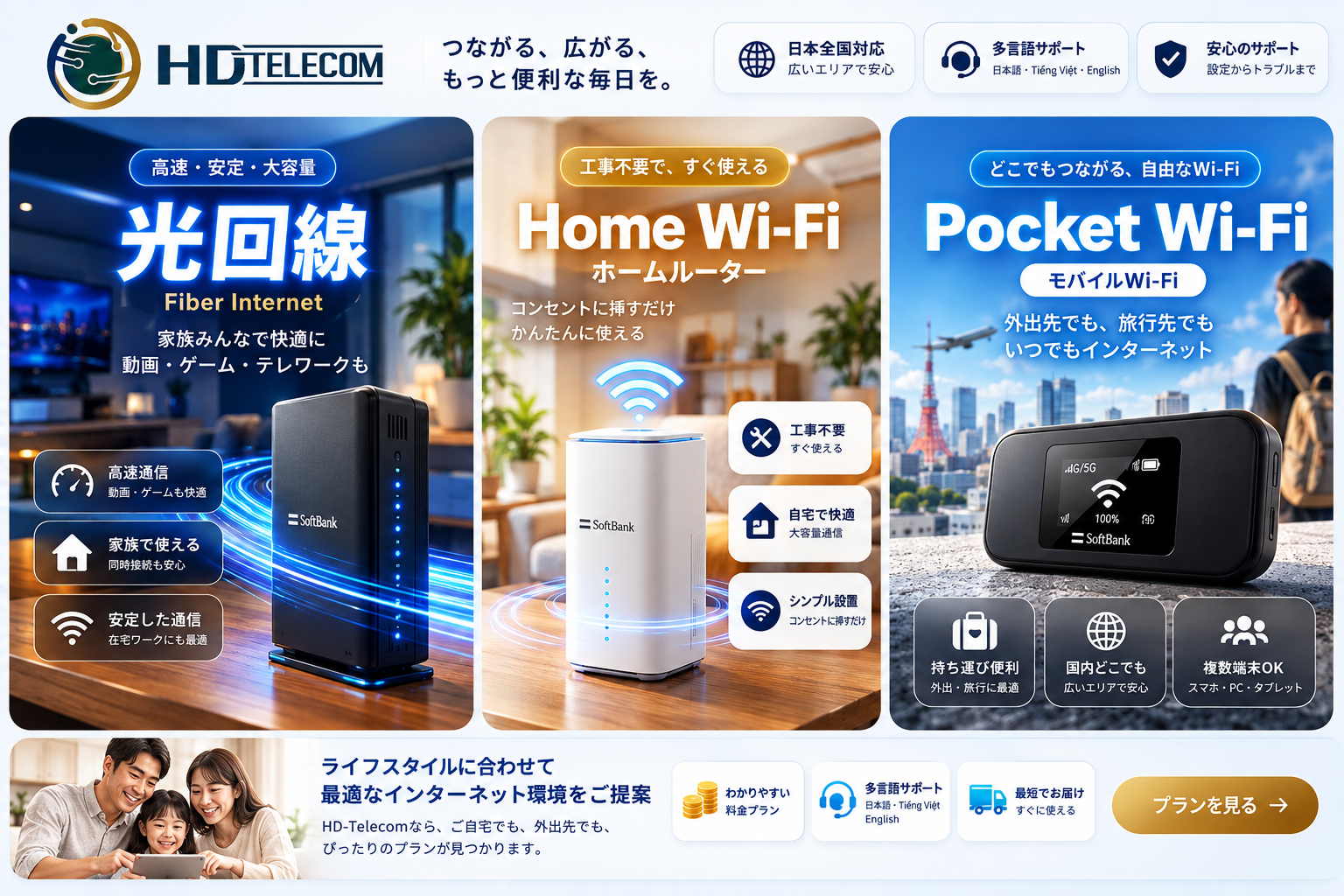
Free Wi-Fi isn't enough for banking, address registration or receiving verification codes. Our guide to what to do first when you arrive without internet has specific steps. Need mobile data in Japan? Compare HD Telecom's available eSIM and Wi-Fi options, and check device compatibility before choosing a plan: Monthly Data eSIMs (your phone must support eSIM) and Monthly Pocket WiFi rentals. Check each plan's data allowance, the speed after the allowance runs out and the terms on the product page.
9. Set Up Your Phone Before You Travel
A few minutes of preparation at home makes free Wi-Fi safer and your mobile data go further.
- Update everything: install the latest operating system and app updates on home Wi-Fi.
- Turn on screen lock and device tracking: use a strong PIN or biometrics, and enable Find My (iPhone) or Find My Device (Android) in case your phone is lost.
- Enable two-factor authentication for email, banking and social media, and make sure you can receive codes abroad (an authenticator app works without SMS).
- Install travel apps in advance: maps, translation, transport and the Japan Wi-Fi auto-connect app. Download offline maps for the cities you'll visit.
- Set up your eSIM or arrange your Pocket WiFi: installing an eSIM at home means you're online the moment you land.
- Review auto-join settings: turn off automatic connection to open networks.
If Your Phone Is Lost or Stolen
- Use device tracking from another device to locate, lock or erase your phone.
- Report the loss at the nearest police box (koban); Japan's lost-and-found system returns many items.
- Contact your mobile provider to suspend your line or eSIM.
- Change passwords for your email and banking apps from a trusted device.
Wi-Fi at Ryokan and in Rural Areas
Traditional inns in mountain valleys and onsen towns may only have Wi-Fi in the lobby, and mobile signal can be weaker than in cities. If you need to work or make video calls, ask about in-room Wi-Fi before booking. For hiking or driving in rural areas, download maps in advance and tell someone your plans. For winter trips outside the cities, see our guides to onsen towns and skiing in Japan for the first time.
10. Common Free Wi-Fi Problems and Fixes
The login page doesn't appear
Most free networks use a “captive portal” that should pop up automatically. If it doesn't, open your browser and visit any simple web address starting with “http://”. Turning a VPN off temporarily can also help, since some VPNs block the login page; turn it back on after you've connected.
Connected, but no internet
You may have joined the network without finishing registration, or the session may have expired. Forget the network, reconnect and complete the login again. If it still fails, the hotspot may be overloaded; try again away from the busiest spot.
I keep having to log in again
Many phones use a random hardware address (MAC address) for privacy, which some networks treat as a new device. That's normal; logging in again is usually enough. Sessions are also time-limited at places like Lawson (60 minutes) and on the Shinkansen.
It's too slow to use
Free Wi-Fi is shared, and speeds drop when many people connect at once, for example at a station at rush hour or near a popular sight. Use it for messages and light browsing, and switch to mobile data for maps, video calls or anything time-sensitive.
A network asks for personal details
Registering an email address is common, but be wary of portals that ask for passwords, card numbers or banking codes. If in doubt, ask staff whether the network is official.
11. Tips for Saving Mobile Data
- Download offline maps and translation language packs on hotel Wi-Fi.
- Turn off automatic cloud photo backup on mobile data; back up at the hotel.
- Disable video autoplay on social media.
- Update apps only on Wi-Fi.
- Track your data use in your phone's settings.
12. FAQ
Do convenience stores in Japan have free Wi-Fi?
Some Lawson stores have LAWSON_Free_Wi-Fi. FamilyMart uses d Wi-Fi (d POINT CLUB account required). 7-Eleven has ended its own free Wi-Fi.
Is there Wi-Fi on the Tokyo subway?
Tokyo Metro removed on-board Wi-Fi, but station areas still have it.
Can I work on Shinkansen Wi-Fi?
You can, but it's slow, sessions are short and it drops in tunnels. If you need to work on board, use mobile data.
Is hotel Wi-Fi OK for online banking?
Password-protected hotel Wi-Fi is safer than an open network, but it's still shared. For important transactions, mobile data is the safer choice.
Can I use 00000JAPAN every day?
No. It's only switched on during major disasters or large-scale outages.
Is the Japan Wi-Fi auto-connect app free?
Yes, the app is free to download and use. It connects you to participating free networks; it doesn't provide its own mobile data.
Does free Wi-Fi work for video calls?
Sometimes, at airports, hotels or quiet cafés. In busy stations or on trains, connections are often too unstable. For important calls, use mobile data or a password-protected hotel network.
Should I turn off Wi-Fi when I'm not using it?
It's a good idea if your phone tends to join unknown open networks automatically. At minimum, turn off auto-join for open networks and remove networks you no longer need.
13. Conclusion
Free Wi-Fi in Japan is useful at airports, major stations, cafés and hotels, but it won't keep you connected on the move. Install Japan Wi-Fi auto-connect as a backup, connect only to correctly named networks, avoid payments and banking on public Wi-Fi, and have your own mobile connection for the moments that matter.
Sources (checked November 3, 2026)
Related products
Find your plan with HD TELECOM
SIM, eSIM and Pocket WiFi — genuine quality, clear pricing, 24/7 support.