

SMS and Call Scams in Japan: How to Spot Them, Stay Safe, and What to Do If You've Been Scammed
October 24, 2026
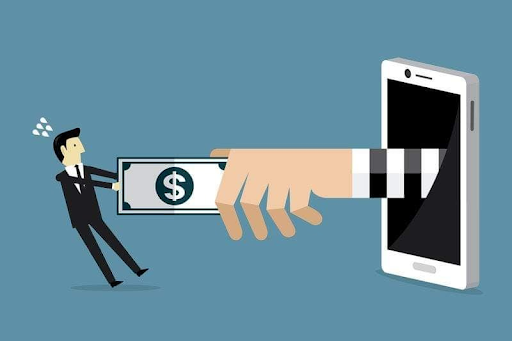
Quick Answer: The three common phone scams in Japan right now are: (1) fake SMS messages impersonating delivery companies, banks, carriers, or the tax office, containing links to phishing websites; (2) calls spoofing police officers or government agencies, claiming your account is involved in a crime and demanding money transfers "for investigation"; (3) calls from international numbers (usually starting with +1 or other country codes). According to Tokyo Metropolitan Police Department data, international calls accounted for about 70% of scam calls in 2024 and around 80% in the first half of 2025. Fundamental rule: do not click links in unfamiliar messages, check directly via official apps or websites; Japanese police will never notify you over the phone that you are under investigation, will not contact you via social media, and will not send photos of police badges or arrest warrants. If in doubt, hang up and dial the police consultation line at #9110.
The article below details each scam type, warning signs, phone settings to reduce risk, and immediate steps to take if you have mistakenly clicked a link or transferred money.
Why Foreign Residents in Japan Are Vulnerable Targets
Phone scams target everyone, but foreign residents have several specific vulnerabilities that scammers exploit:
- Unfamiliarity with Japanese procedures, making it hard to distinguish real requests from fake ones sent by banks, tax offices, or immigration.
- Anxiety about residency status, causing panic upon hearing that their account or residence card has "issues."
- Frequent reliance on delivery services, making "failed delivery" messages look very plausible.
- Limited Japanese literacy, making it difficult to spot grammatical errors or unnatural phrasing in fake messages.
Scammers are increasingly fluent in Japanese, spoofing real phone numbers and even video calling while wearing uniforms. Therefore, do not rely on a "looks legitimate" feeling — rely on strict rules.
Type 1: Fake SMS Messages (Smishing)
Common Message Patterns
| Impersonated Entity | Typical Content |
|---|---|
| Delivery companies (Japan Post, Yamato, Sagawa) | "We attempted to deliver your package but you were away. Please confirm at this link..." |
| Banks, credit cards | "Unusual transaction detected, your account has been temporarily locked. Verify at..." |
| Carriers | "Unpaid usage fees. Service will be suspended today..." |
| Tax agency (e-Tax) | "You have a tax refund available. Receive funds at..." or "Unpaid tax, enforcement imminent..." |
| E-commerce platforms | "Unrecognized login to your account, please update payment information..." |
Warning Signs
- Domain name does not match the official site (e.g., extra characters, hyphens, unusual extensions), or uses a shortened URL.
- Creates a sense of urgency: "within 24 hours," "today," "will be locked," "will be returned."
- Lacks a tracking number or specific details about your actual order.
- Requests input of passwords, card numbers, security codes, one-time passwords (OTP), or app installations.
- On Android, prompts to download installation files (APK) outside the app store — this is an extremely dangerous sign.
Safe Verification Steps
Do not click links in text messages. Instead:
- Open the official app of the delivery service, bank, or shopping platform you previously installed.
- Or manually type the official website address (or search via a search engine) and log in from there.
- For deliveries, check using the tracking number found in your original purchase confirmation email, not via SMS links.
Japanese tax authorities have also issued warnings about fake emails and messages regarding "e-Tax refund receipts" demanding app installations — consider any request to install an app via text message suspicious.
Type 2: Calls Impersonating Police and Government Agencies
This scheme causes severe financial damage. According to warnings from the National Police Agency of Japan (March 2025), the typical script unfolds as follows:
- You receive a call, and the screen may display the actual phone number of a real police station (number spoofing).
- The caller claims your bank account was used for money laundering and that you are a suspect.
- They switch to a video call via social media, where a person in uniform shows you a "police badge" or "arrest warrant."
- They demand that you transfer all your money to a designated account "for investigation," usually via online banking, and instruct you not to tell anyone.
Crucial Facts to Remember:
- Japanese police do not notify you over the phone that you are under investigation.
- Police do not contact you via social media or video calls.
- Police do not send photos of police badges or arrest warrants.
- No government agency will ever ask you to transfer money to a personal account "for investigation" or "to safeguard assets."
If you receive such a call: hang up immediately. Do not call back the number provided by the caller. Dial #9110 (police consultation line) or independently look up the official phone number of your local police station to verify.
Another variation targeting foreigners involves callers posing as immigration bureau or embassy staff, claiming your residence card or passport has an issue and demanding a "processing fee." Apply the same rule: hang up and contact the institution directly using the official phone number listed on their website.
Type 3: Calls from International Numbers
According to Tokyo Metropolitan Police Department data, international calls accounted for roughly 70% of scam calls in 2024 and around 80% in the first half of 2025; the proportion of calls targeting mobile phones also rose to nearly half in the first 10 months of 2025.
How to Identify Them
- The displayed number starts with a + followed by a country code (e.g., +1, +44...), not a Japanese domestic number starting with 0.
- The caller speaks Japanese but claims to be a Japanese company or agency — Japanese institutions almost exclusively call using domestic numbers.
- Automated robocalls play a pre-recorded message asking you to press a button to "speak to an agent."
- Note that family members calling from Vietnam via mobile networks will also display +84. Save relatives' numbers in your contacts to distinguish them easily, and prefer calling via messaging apps.
Blocking International Calls
- Landlines: Police encourage registering for a free service to block incoming international calls through the dedicated center (国際電話不取扱受付センター, 0120-210-364).
- Mobile phones: Starting December 1, 2025, the Tokyo Metropolitan Police Department's crime prevention app Digi Police features automated blocking for incoming international calls and scam-related numbers. According to media reports, the international call blocking feature is unavailable on iPhones; iPhone users can utilize built-in features such as Silence Unknown Callers — calls from numbers not in your contacts will be sent straight to voicemail.
- Carriers: Many mobile carriers offer settings to filter spam messages and unwanted calls. Check your account management portal or carrier app.
Recommended Phone Settings to Mitigate Risks
| Setting | Effect |
|---|---|
| Enable OS spam message filters | Separates messages from unknown numbers from your main inbox |
| Silence unknown callers (iPhone) or block hidden/unknown numbers (Android) | Reduces ringings from scam calls |
| Enable two-factor authentication (2FA) for email, banking, and social media | Prevents unauthorized logins even if passwords are leaked |
| Install apps exclusively from the App Store or Google Play | Prevents malware installation |
| Keep operating system updated regularly | Patches security vulnerabilities |
| Set a SIM PIN lock | Restricts unauthorized SIM usage if your phone is lost |
| Save frequent contacts, family, and official company numbers in your address book | Helps easily identify legitimate calls |
What to Do If You Clicked a Link or Transferred Money
Swift action minimizes losses. Take steps in the following order:
If You Only Clicked a Link But Entered No Information
- Close your browser immediately.
- Do not download or install any files.
- Delete the text message and block the sender's number.
If You Entered Your Password
- Change your password immediately on the official platform (manually type the URL, do not use the link).
- Change passwords on other services if you reused the same password.
- Enable two-factor authentication.
- Review account login history and transaction logs.
If You Entered Credit Card or Bank Details
- Immediately call your credit card company or bank (phone number on the back of your card or official site) to freeze the card or account.
- Request a review of recent transaction activity.
If You Installed an Unfamiliar App (Especially on Android)
- Turn on Airplane Mode to disconnect all networks.
- Uninstall the app; if unable, seek assistance from a mobile shop or carrier support.
- Change critical account passwords using a different device.
If You Transferred Money
- Contact your bank immediately to request a transaction stop or freeze the recipient account (as quickly as possible).
- Report to the police: call #9110 for consultation, or 110 in emergencies; visit your nearest police station to file a report.
- Preserve all evidence: text message screenshots, call logs, and transfer receipts.
Contact Numbers and Reporting Channels
| Purpose | Number / Channel |
|---|---|
| Emergency / Active threat | 110 (Police) |
| Fraud consultation / Suspected scam | #9110 (Police consultation line) |
| Consumer advice (Contracts, purchases) | 188 (Consumer hotline) |
| Reporting phishing sites or scam emails | Council of Anti-Phishing Japan (antiphishing.jp) |
| Stop international calls on landlines | 0120-210-364 |
If you are not confident communicating in Japanese, ask an acquaintance, school representative, host company, or supervising organization for support when making phone calls or visiting a police station. Many local municipalities also offer multilingual consultation centers for foreign residents.
Regarding Your SIM and Phone Number
A Japanese phone number is used for many essential functions — banking, shopping, account verifications. Learn more about why you need a Japanese phone number. Therefore:
- Do not lend or resell a SIM card registered in your name to others. A SIM registered under your name could be misused for fraudulent activities, and unauthorized SIM transfers may violate Japanese law.
- Never share one-time passwords (OTP) received via SMS with anyone, including individuals claiming to be bank or carrier employees.
- If your phone is lost, contact your provider immediately to suspend SIM services.
If you use a data SIM or eSIM from HD Telecom and receive suspicious messages claiming to be from HD Telecom, do not click any links; log into your account via the official website or contact support through published channels on our site. See also 10 common errors when using a SIM card in Japan.
Frequently Asked Questions
How do I know if a delivery SMS is real or fake? Do not click links in SMS messages. Open the delivery company's official app or site and search using the tracking number provided in your original purchase confirmation email.
Will the police call me to notify me that I am under investigation? No. Japanese police do not inform suspects of investigations via phone, do not communicate via social media, and never ask for money transfers. Hang up and dial #9110.
Are all incoming calls starting with +1 scams? Not all, but international calls account for the majority of scam calls in Japan according to police data. If you do not recognize the number, do not answer or let it go to voicemail.
I transferred money to a scammer, can I get it back? There is no guarantee, but rapid action increases the chances. Call your bank immediately to request a freeze on the recipient account, report to the police, and preserve all evidence.
Are there apps to block scam calls? The Tokyo Metropolitan Police Department's Digi Police app includes an international call blocking feature (unavailable on iPhones per media reports). iPhone users can enable the Silence Unknown Callers feature.
Conclusion
Scammers rely on urgency and fear. Three simple rules will protect you in almost every scenario: do not click links in unfamiliar messages, do not comply with phone demands for money transfers, and always verify independently through official channels. Save the number #9110 in your contacts, share this article with friends newly arrived in Japan, and never hesitate to ask someone you trust when something feels wrong.
Related products
Find your plan with HD TELECOM
SIM, eSIM and Pocket WiFi — genuine quality, clear pricing, 24/7 support.
Power Bank Regulations on Flights in Japan (2026): In-Flight Ban, 2-Unit Limit, and How to Calculate Wh
Using Your Phone During Earthquakes and Disasters in Japan: Alerts, 171, 00000JAPAN Wi-Fi, and Battery Saving Tips
Must-Have Travel Apps for Japan and How to Prep Your Phone Before You Go

Smartphone Fireworks Photography and Videography: 12 Tips for Blur-Free Shots