
Using Your Phone During Earthquakes and Disasters in Japan: Alerts, 171, 00000JAPAN Wi-Fi, and Battery Saving Tips
November 7, 2026
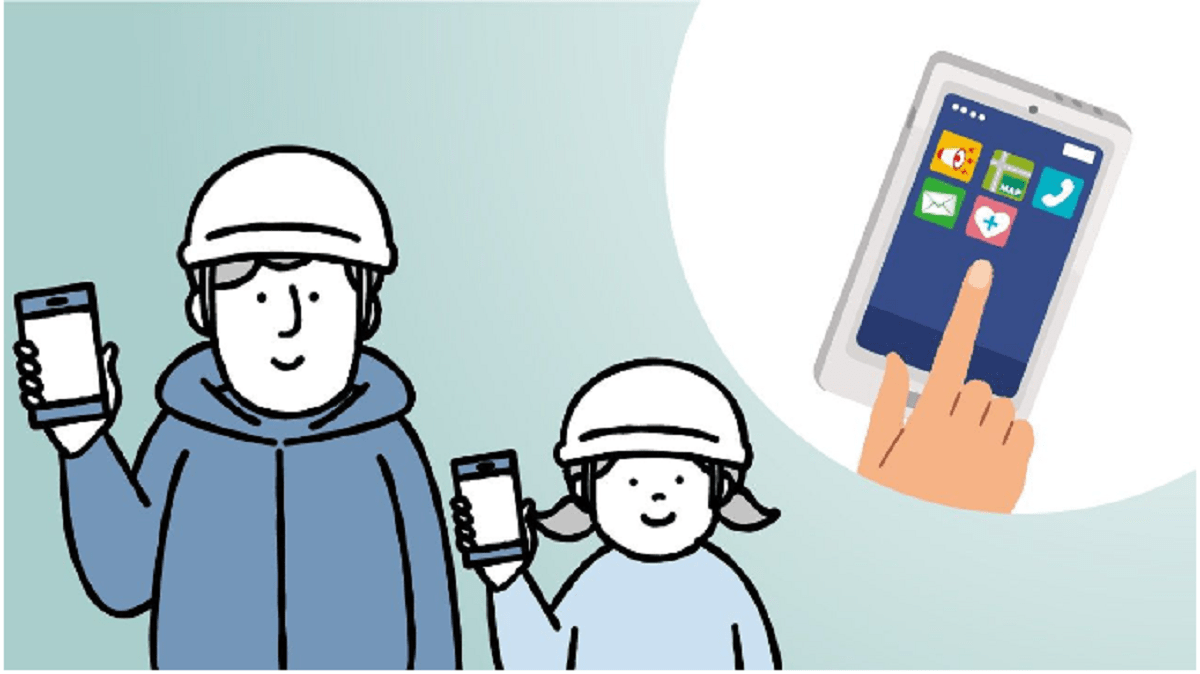
Quick answer: Japan experiences frequent earthquakes, typhoons, and torrential rains, so it is vital to prepare your phone before disaster strikes. Here are five things you should do right now: (1) enable emergency alerts in your phone settings; (2) install the Safety tips app (available in Vietnamese) and NHK WORLD-JAPAN; (3) learn how to use 171—the disaster voice message service (up to 30 seconds per message)—and its web version, web171; (4) know that during major disasters, mobile carriers may open a free public Wi-Fi network named 00000JAPAN, which requires no password to connect but is unencrypted; (5) always keep a fully charged power bank on hand. When an earthquake hits, prioritize your personal safety first, then use text messages instead of voice calls to prevent network congestion, and only call 119/110 in true life-threatening emergencies.
Below, we break down each tool, step-by-step preparations, what to do during and after a disaster, along with a safety check message template to send to your family back home in Vietnam.
Why you need to prepare your phone in advance
During major disasters in Japan, many people run into the exact same issues:
- Network congestion: Millions of people try to call at the same time, making voice calls virtually impossible to connect.
- Power outages: Inability to charge phones for hours, or even days.
- Information chaos: False rumors spread rapidly across social media.
- Language barriers: Emergency broadcasts are primarily delivered in Japanese.
Preparing in advance ensures you receive early warnings, stay in touch with family, and access verified information even when networks are unstable.
Before disaster strikes: Phone settings checklist
1. Turn on emergency alerts
Japan broadcasts Earthquake Early Warnings (緊急地震速報), tsunami warnings, and evacuation orders directly to mobile phones in affected areas. These alerts trigger a distinct, piercing alarm tone, often even if your phone is set to silent mode (depending on the device).
- iPhone: Go to Settings → Notifications → scroll to the very bottom to "Emergency Alerts"—toggle on all alert options.
- Android: Search for "Wireless emergency alerts" in Settings; the exact location varies by manufacturer.
Alert compatibility depends on your device, operating system, and carrier. If you are using a phone purchased outside Japan, be sure to double-check these settings and install dedicated disaster warning apps as an extra safeguard.
2. Install disaster information apps
| App | Function | Language |
|---|---|---|
| Safety tips | Earthquake, tsunami, and severe weather warnings; evacuation guidance; emergency communication cards/phrases | Multilingual, including Vietnamese |
| NHK WORLD-JAPAN | Breaking news and disaster reporting | Multilingual |
| Local government disaster prevention apps | Evacuation shelter maps, localized alerts | Varies by municipality |
Open each app, enable notifications, and grant location permissions so you can receive localized alerts for your area.
3. Save critical information offline
When networks are down or heavily congested, web pages will not load. Save the following directly onto your phone (as screenshots or notes):
- Your home address in Japanese and the location of your nearest evacuation shelter (避難所). You can look this up on your local city or ward office website.
- Maps of your surrounding neighborhood (download offline map areas).
- Emergency phone numbers for family members, your school, workplace, and embassy.
- Health insurance details, current prescription medications, blood type, and allergies.
4. Agree on a communication plan with family
Establish a clear emergency plan with your family (both in Japan and in Vietnam) beforehand:
- Which primary channels you will use to confirm safety (messaging apps, 171, web171).
- A predetermined physical meeting place in Japan if you get separated.
- Designate a central contact person in Vietnam who can relay updates to the rest of the family.
5. Prepare backup power sources
- Keep a medium-capacity power bank (e.g., 10,000 mAh) fully charged at all times. Test and recharge it once a month.
- Pack a spare charging cable inside your emergency go-bag.
- If possible: keep a flashlight, battery-powered radio, and spare dry-cell batteries ready.
- Always choose power banks certified with the PSE mark (Japan's electrical safety standard) and store them properly to prevent fire hazards.
When an earthquake hits: Order of priority
- Protect yourself first. Drop, cover, and hold on under a sturdy desk or table; protect your head; stay clear of glass windows and tall furniture that could tip over. Never try to hold up your phone to record video while violent shaking is underway.
- Once the shaking stops, check for fire hazards, shut off gas valves if safe to do so, and secure an exit path. If you are near coastal waters and a tsunami warning is issued, evacuate to higher ground immediately—do not delay to check your phone.
- Open your apps or listen to public announcements to check the earthquake's magnitude, affected regions, and evacuation directives.
- Send safety updates via text-based messages rather than making voice calls.
- Only dial 119 (ambulance, fire) or 110 (police) for life-threatening emergencies, keeping phone lines clear for those who need urgent rescue.
Disaster Voice Message Service 171 and web171
During severe disasters, telecom networks experience massive congestion, making incoming calls to affected zones nearly impossible. NTT activates the Disaster Emergency Message Dial 171 (災害用伝言ダイヤル), enabling individuals to record and listen to safety voice messages.
How to use 171 (by phone)
- Dial 171.
- Follow the voice prompts: select record a message or listen to a message.
- Enter the "key" phone number (typically your own mobile/landline number or that of the person in the disaster area, including the area code).
- Record your message (up to 30 seconds) or listen to existing recordings.
Key details:
- Each phone number can store up to 20 messages; newer recordings overwrite the oldest ones.
- The listener does not need to call from the registered key number—family members can check messages from any phone.
- Accessible from landlines, mobile devices, and public payphones.
web171 (online disaster message board)
web171 is the internet-based equivalent: you enter a phone number and leave a text-based message, and family members can look it up using that exact same number. The interface is available in English, making it an excellent way for family in Vietnam to check on your status.
Carrier disaster message boards
Major mobile carriers in Japan also offer their own proprietary Disaster Message Boards (災害用伝言板), accessible directly from your smartphone when disasters strike. Refer to instructions provided by your respective service provider.
Practice during trial days
Both 171 and web171 are regularly open for public trial use on designated dates throughout the year (such as the 1st and 15th of every month, Disaster Prevention Week, and New Year holidays). Take advantage of these trial windows to practice with your family so everyone is comfortable with the steps.
Free public Wi-Fi: 00000JAPAN
Following catastrophic natural disasters or widespread telecom outages, Japanese mobile carriers may launch an open, free public Wi-Fi network named 00000JAPAN (pronounced "Five Zero Japan").
- Open to everyone, regardless of your carrier, with no registration or password required.
- No time limits or connection caps.
- Available at evacuation shelters, convenience stores, train stations, and designated public Wi-Fi hotspots.
- First deployed after the 2016 Kumamoto earthquake; as of May 2023, its activation guidelines were expanded to cover large-scale telecommunication carrier failures.
Security warning: Because this network operates without password encryption, malicious actors can easily set up rogue networks with identical names, and unencrypted website traffic can be intercepted. When connected to 00000JAPAN:
- Never enter passwords, credit card numbers, or sensitive personal data.
- Use it strictly for basic emergency communication, checking news, and finding evacuation routes.
- Stick to encrypted applications and secure websites (URLs starting with https).
Read more in our guide to free Wi-Fi in Japan and how to stay safe.
Saving battery life during power outages
During a blackout, your phone's battery is your lifeline for communication. Manage it wisely:
- Turn on battery saver mode (Low Power Mode on iPhone, Battery Saver on Android).
- Lower screen brightness, turn off Bluetooth, and close unnecessary background apps.
- Disable auto-playing videos and avoid endlessly refreshing social media feeds.
- If network signal is extremely weak, your device burns through battery searching for towers; consider turning on Airplane Mode and toggling it back on periodically to check for messages.
- Rely on text messaging—it consumes far less battery and data than voice or video calls.
- Evacuation centers often provide shared charging stations. Make sure to bring your own charging cable.
Safety check message template for family in Vietnam
Keep your message concise yet comprehensive so loved ones don't need to call back asking for details:
"I am completely safe. I am currently at [home / evacuation shelter at School X, Ward Y]. My phone has [50%] battery left; network coverage is spotty so I will text instead of calling. I will send another update at [8:00 PM Japan time]. You can also check my updates on web171 using my phone number [090-xxxx-xxxx]."
Note: Japan is 2 hours ahead of Vietnam—be sure to specify Japan Standard Time to prevent confusion.
Essential Japanese emergency vocabulary
| Japanese | Romaji | Meaning |
|---|---|---|
| 地震 | jishin | Earthquake |
| 津波 | tsunami | Tsunami |
| 避難 | hinan | Evacuation |
| 避難所 | hinanjo | Evacuation shelter |
| 緊急地震速報 | kinkyuu jishin sokuhou | Earthquake Early Warning |
| 大雨 / 洪水 | ooame / kouzui | Heavy rain / Flooding |
| 停電 | teiden | Power outage (blackout) |
| 断水 | dansui | Water service disruption |
If you hear or see the word 避難 (hinan) broadcast for your area, follow evacuation procedures without hesitation.
After a disaster: Beware of rumors and scams
- Rely exclusively on official sources: The Japan Meteorological Agency (JMA), municipal local authorities, NHK, and the Safety tips app.
- Do not amplify unverified rumors on social media networks.
- Watch out for fake charity scams or fraudulent relief messages asking for personal banking details. Learn more on how to identify and avoid SMS/call scams in Japan.
If your SIM or eSIM has issues after a disaster
Following a disaster, cellular service may remain erratic for several days across affected zones. Before assuming your SIM card is damaged, try: restarting your device, toggling Airplane Mode on and off, verifying APN settings, and moving to an area with clearer line-of-sight signal. You can reference our guide on 10 common SIM issues in Japan. If you are using an HD Telecom data SIM or eSIM and continue experiencing problems after regional conditions stabilize, please contact our support team.
No mobile provider can guarantee 100% continuous coverage during severe natural disasters—which is why knowing emergency alternatives like 171, web171, and 00000JAPAN is indispensable.
Frequently Asked Questions
Will overseas-purchased phones receive earthquake alerts in Japan?
It depends on the handset model, operating system, and carrier compatibility. Turn on emergency alerts in your settings and install the Safety tips app to ensure you stay covered.
What is 171?
It is Japan's emergency voice message dial service during disasters. Call 171, select record or listen, and enter a phone number as the lookup key. Each recording can be up to 30 seconds long.
Is 00000JAPAN safe to use?
It is reliable for basic emergency communication and news updates, but traffic is unencrypted. Avoid logging in, entering passwords, or submitting payment details while connected.
Should I make phone calls immediately after an earthquake?
Only call in life-threatening emergencies. Use text messages, messaging apps, or 171 to report safety to help keep mobile networks from overloading.
How should I prepare a power bank?
Choose a PSE-certified power bank, keep it fully charged, test it regularly, and store it alongside a charging cable in your emergency grab bag.
Conclusion
Natural disasters in Japan arrive without warning, but your smartphone can be an invaluable survival tool when configured properly: turn on alerts, install Safety tips, master 171 and web171, know how to access 00000JAPAN, and always maintain backup power. Take 15 minutes today to complete this checklist and test 171 with your loved ones during the next scheduled trial date.
Related products
Find your plan with HD TELECOM
SIM, eSIM and Pocket WiFi — genuine quality, clear pricing, 24/7 support.
Staying Warm During Winter in Japan: Heattech, Kairo, Kotatsu, and Tips to Save on Gas and Electricity
Power Bank Regulations on Flights in Japan (2026): In-Flight Ban, 2-Unit Limit, and How to Calculate Wh
SMS and Call Scams in Japan: How to Spot Them, Stay Safe, and What to Do If You've Been Scammed
Must-Have Travel Apps for Japan and How to Prep Your Phone Before You Go