How to make a bank transfer (furikomi) in Japan when buying a SIM/WiFi
September 4, 2026
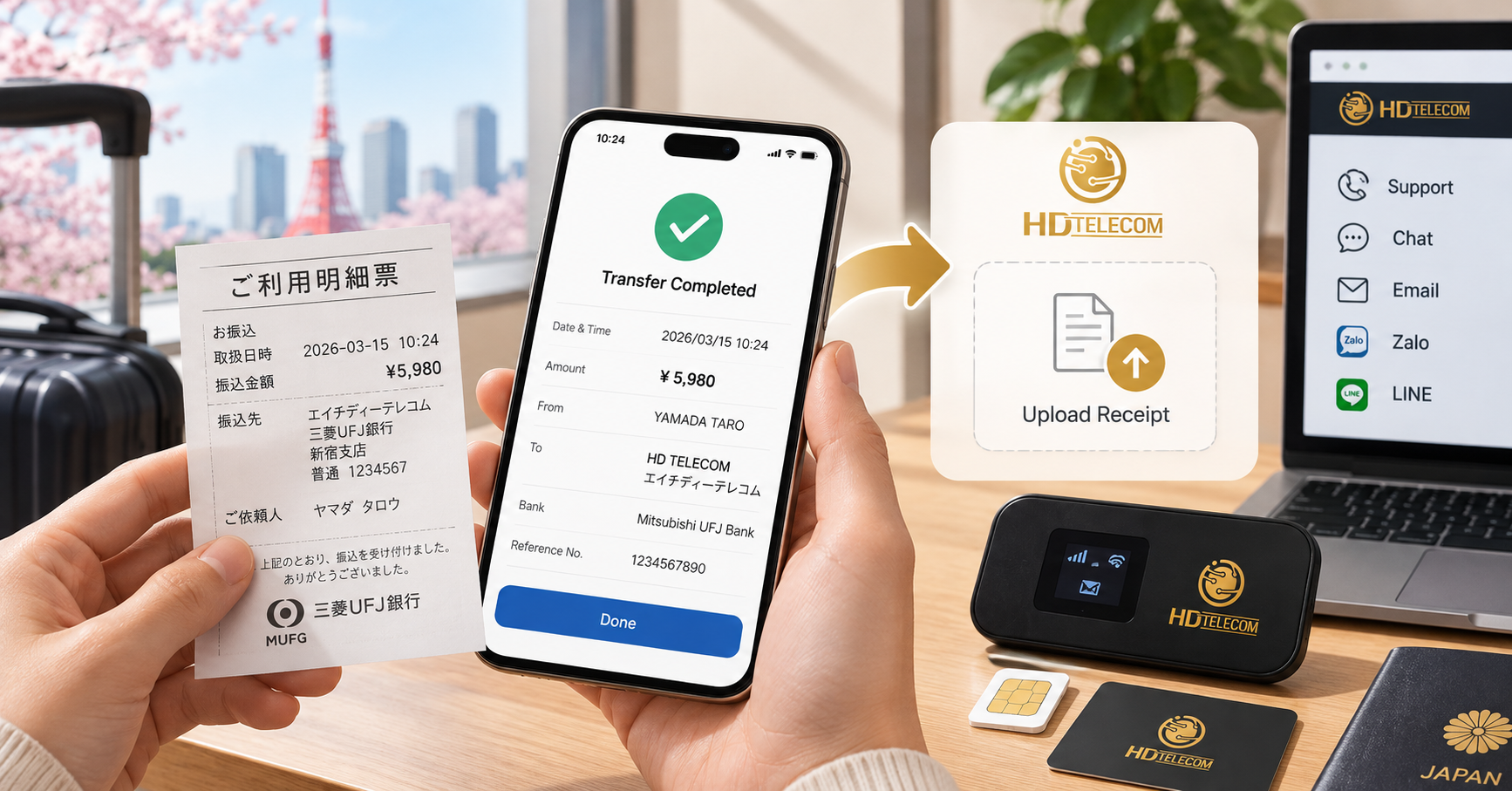
Quick Answer
To pay for SIM/eSIM/WiFi in Japan by bank transfer (called 振込 – furikomi in Japanese), you need 4 pieces of information from the seller: bank name – branch name – account number – account holder name (in katakana). Then you go to an ATM or open your banking app, select the 振込 menu, enter all 4 pieces of information above, then enter the amount.
The most important point that Vietnamese people often overlook: the “sender’s name” field (ご依頼人名) must be filled in exactly as required by the seller — usually your name in katakana along with an order code or phone number. If entered incorrectly, the seller won’t know whose payment it is and your order will be put on hold.
Regarding timing: most major banks in Japan have now joined the More Time system (モアタイムシステム), so money can arrive in the recipient’s account within a few minutes, even in the evening and on weekends. However, if one of the two banks hasn’t joined, or if you transfer after banking hours, the money may arrive on the next business day.
Who this article is for
This article is for you if:
- You are an international student, technical intern trainee, engineer, specified skilled worker, or working professional living in Japan and have just opened a bank account for the first time.
- You have just ordered a data SIM, eSIM, or pocket WiFi rental and the seller requires payment by bank transfer instead of credit card.
- You don’t have a Japanese credit card yet (very common for newcomers), so bank transfer is the most practical way to pay.
- You have transferred money before but got an error: the money was sent but the shop says they haven’t received it, and want to understand why.
- You want to know roughly how much the transfer fee is and how to transfer at the lowest cost.
This article is written in a “hand-holding” style in Vietnamese, with the Japanese text that appears on the ATM screen included so you can check it directly while standing at the machine.
Cases where this does NOT apply
This guide is not suitable in the following situations:
- You don’t have a bank account in Japan yet. In that case you cannot transfer from a personal account. You may still be able to deposit cash at a bank counter (現金振込), but some banks have restricted this service or charge higher fees; ask the seller directly about alternative payment methods such as in-store payment, konbini payment, or card payment.
- You want to send money back to Vietnam. That is an international remittance (海外送金), with completely different procedures, fees, and regulations — this article only covers domestic bank transfers within Japan.
- The seller requires automatic monthly payment via card or account debit (口座振替). That is a different registration method, not a one-time furikomi.
- You are being asked to transfer money to an unknown individual on social media to “buy a cheap SIM”. This is a very common scam sign within the Vietnamese community in Japan. Only transfer to a company with a clear address, phone number, and contract.
- You need to transfer urgently at night but your bank doesn’t support More Time. In that case, even if you do everything correctly, the money will only arrive on the next business day — you should notify the seller in advance.
Steps to follow
Step 0: Get all 4 pieces of recipient account information
Before going to the ATM, take a screenshot or write down the following (the seller will always provide this in Japanese):
| Japanese term | Meaning | Example |
|---|---|---|
| 銀行名 (ginkou-mei) | Bank name | ゆうちょ銀行 / 三菱UFJ銀行 |
| 支店名 (shiten-mei) | Branch name | 新宿支店 |
| 預金種目 (yokin shumoku) | Account type | 普通 (futsuu – ordinary account) |
| 口座番号 (kouza bangou) | Account number (usually 7 digits) | 1234567 |
| 口座名義 (kouza meigi) | Account holder’s name, written in katakana | カ)エイチディーテレコム |
Note: if transferring to a Yucho (ゆうちょ銀行) account from another bank, Yucho has its own code set consisting of a 店番 (3-digit branch code) and a 7-digit account number, which differs from the passbook’s 記号・番号. The seller usually provides both formats, so choose the one that matches where you’re transferring from.
Step 1: Choose your transfer method
- Banking app / internet banking — fastest, cheapest fees, available 24 hours. Top recommendation.
- Your own bank’s ATM — you don’t need much Japanese if you can switch to the English interface.
- Konbini ATM (7-Eleven, Lawson, FamilyMart) — convenient, but not every machine supports transfers; many machines only support withdrawals/deposits. Check whether the menu has a 振込 option.
- Bank teller counter (窓口) — the most reliable but has the highest fee and is only open during business hours (usually 9:00–15:00, business days).
Step 2: Operating the banking app (recommended method)
- Log in to the app (Yucho Direct, MUFG, SMBC, Mizuho, Rakuten Bank, PayPay Bank, Sony Bank, etc.).
- Select 振込・振替 (Transfer).
- Select 新しい振込先 (new recipient) → enter the bank name and branch.
- Select 普通 → enter the account number → the screen will automatically display the account holder’s name for you to check that it matches.
- Enter the exact amount stated on the invoice.
- At the ご依頼人名 / 振込依頼人名 field (sender’s name): edit it according to the seller’s requirements. For example, if the seller asks you to include the order code: 1234 グエン ヴァン アン.
- Confirm the entire screen → enter your transaction password → complete.
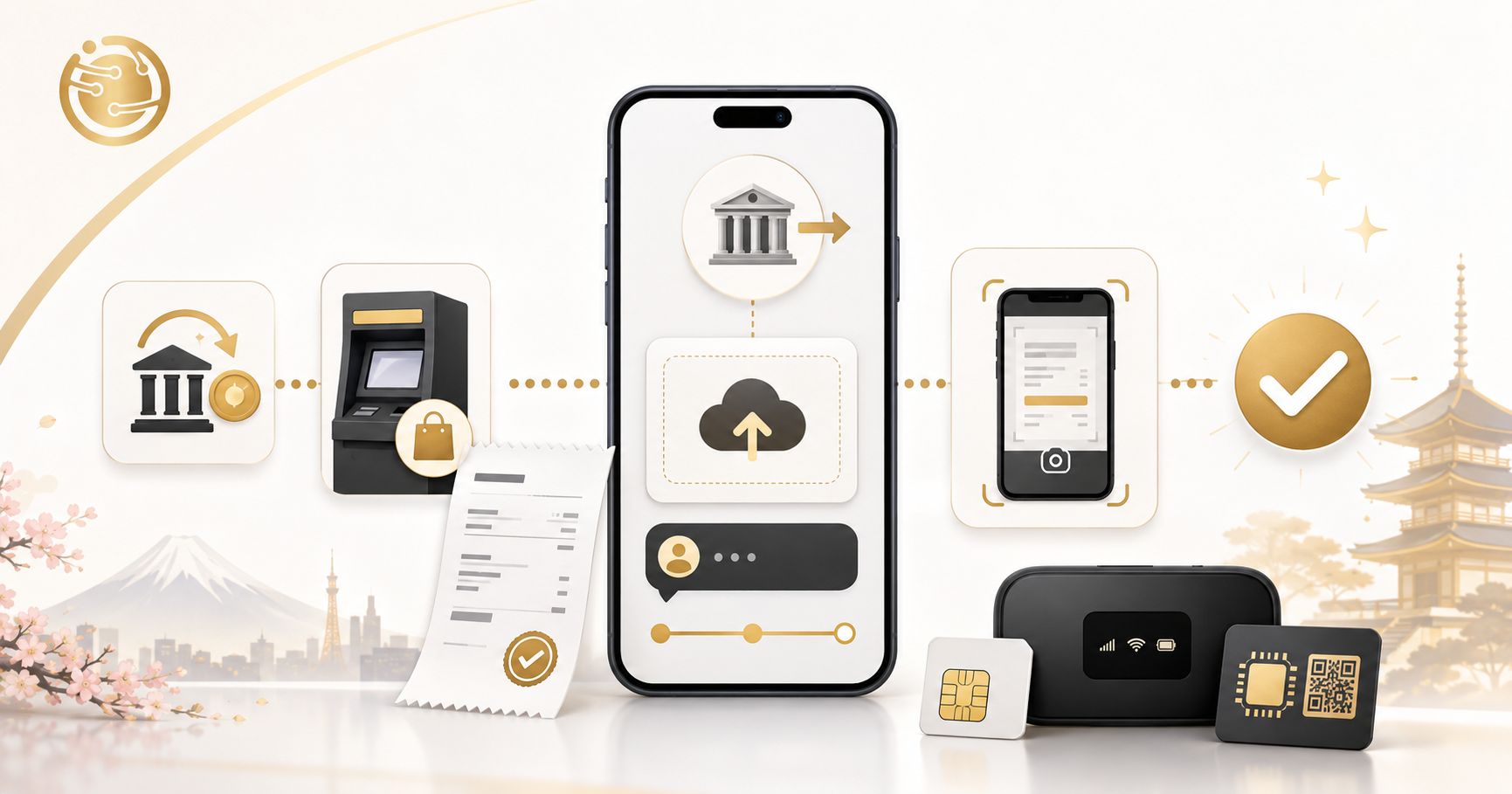
- Take a screenshot of the receipt (受付番号 / 振込完了) and send it to the seller.
Step 3: Operating an ATM (example: Yucho ATM)
- If there’s an English button in the corner of the screen, press it first for convenience.
- Select ご送金 → 電信振込 (English: Remittance / Transfer).
- Insert your ATM card and enter your PIN (暗証番号).
- Select the recipient’s bank: type the first letters of the bank name using the on-screen keyboard, then select the branch.
- Select 普通預金 → enter the recipient’s account number.
- Enter the amount → the machine displays the account holder’s name for confirmation.
- The machine asks for the sender’s name and phone number → enter as required by the seller.
- Confirm the transfer fee shown on screen → press 確認 → receive a 明細票 (paper receipt).
- Keep the receipt, take a photo, and send it to the seller. This is the only proof in case of a dispute.
Step 4: Notify the seller
After transferring, send the seller: a photo of the receipt, the sender’s name you entered, the amount, and the time of transfer. With HD TELECOM, you can find the recipient account information and how to send confirmation on the support page.
Documents to prepare
Regular bank transfers usually don’t require ID, but you should have on hand:
- ATM card (キャッシュカード) and 4-digit PIN — required for ATM transfers.
- Banking app login information if transferring online.
- Invoice / order confirmation email showing the amount and order code.
- Residence card (在留カード) and bank passbook (通帳) + personal seal (印鑑): only needed if you go to the teller counter, or when transferring a large amount and the bank asks about the purpose of the transfer per anti-money-laundering regulations.
- Your name in katakana: you should know exactly how your name is written in katakana as it appears on your bank card, so you can enter it correctly.
For transactions involving SIM/WiFi purchases worth a few thousand to a few tens of thousands of yen, you will almost never be asked for identification.
Costs
The transfer fee (振込手数料) is charged by your bank, not the seller. The fee varies by bank, by channel (app is cheaper than ATM, ATM is cheaper than the counter), and by whether you’re transferring within the same bank or to a different bank.
| Transfer channel | Same bank | Different bank |
|---|---|---|
| App / internet banking | Usually 0 yen | About 0–330 yen (many banks offer free transfers a few times per month) |
| ATM (using card) | About 0–165 yen | About 165–440 yen |
| ATM (using cash, no card) | Higher, about 220–550 yen | About 440–660 yen |
| Teller counter (窓口) | About 440–660 yen | About 660–990 yen |
The figures above are for reference only. The exact fee varies by bank and may be adjusted; check the official website of the bank you use, or check directly on the ATM screen before confirming.
How to save on fees
- Use the app instead of an ATM. The difference can be several hundred yen each time.
- Check for free transfer offers: many online banks (Rakuten Bank, PayPay Bank, SBI, etc.) offer 1–5 free transfers per month depending on your customer tier.
- If purchasing a long-term plan, transferring once instead of multiple small transfers will save on fees. For example, the 12-month prepaid SIM plan only requires one transfer for the whole year.
- Don’t deduct the fee from the amount you owe. The fee is yours to pay; if you deduct it, the seller will receive less than expected and your order will be put on hold.
Processing time
Since the More Time system (モアタイムシステム) operated by Zengin-net came into effect, transfers between participating banks can arrive almost instantly, 24 hours a day, including Saturdays, Sundays, and holidays. However, not 100% of financial institutions participate, and each bank has its own service hours.
| Situation | Time for money to arrive (for reference) |
|---|---|
| Transfer during business hours (approx. 9:00–14:30, business days) | A few minutes to about 1 hour |
| Transfer in the evening/weekend, both banks use More Time | Usually a few minutes |
| Transfer in the evening/weekend, one bank doesn’t use More Time | Morning of the next business day |
| Transfer during long holidays (New Year, Golden Week, Obon) | May be slower, so transfer early |
| During nighttime bank system maintenance | Transaction is delayed until the system resumes |
On the seller’s side: after the money arrives, the accounting department still needs time to verify it. With HD TELECOM, orders are usually confirmed within the same business day or the next business day. If you need network access urgently, choose monthly eSIM since there’s no need to wait for physical delivery, or notify us in advance for priority processing.
Where to submit / where to do it
1. On your phone
The banking app is the most convenient place: you can do it at home, at night, without lining up. If you haven’t registered for internet banking, ask your bank — many banks allow registration directly in the app using your residence card and ATM card.
2. Bank ATM
ATMs are located inside branches or at train stations and shopping malls. Advantage: has an English switch button and simple operation. Note that ATMs have operating hours, and using them outside these hours may incur an additional usage fee (時間外手数料).
3. Konbini ATMs
- Seven Bank ATM (7-Eleven): compatible with many banks, with English and Vietnamese interfaces available on many machines.
- Lawson Bank ATM and E-net (FamilyMart): similar.
- Note: many konbini machines only support withdrawals/deposits, not 振込. If the menu doesn’t have a 振込 option, you’ll need to go to your own bank’s ATM.
4. Bank or post office teller counter
Suitable if you need staff assistance or are transferring a large amount. Bring your residence card. Opening hours are usually 9:00–15:00 on business days, closed on Saturdays, Sundays, and holidays.
Common mistakes
1. Entering the sender’s name incorrectly or leaving it blank
This is the number one mistake. You transfer money but leave the default name on your card (e.g., an abbreviated name), while the order was registered under a different name or a Vietnamese name with diacritics. The accounting department can’t match it and the order gets put on hold. Solution: send a photo of the receipt along with the order code to the seller immediately.
2. Transferring less than required by deducting the fee
For example, if the invoice is 3,300 yen and the fee is 220 yen, you transfer 3,080 yen. The seller receives less than expected and has to ask you to make up the difference — costing an extra transfer fee. Always transfer the exact amount stated on the invoice.
3. Entering the wrong Yucho account number
Yucho accounts have two sets of numbers: 記号・番号 (used for internal Yucho transfers) and 店番・口座番号 (used when transferring from another bank). Using the wrong set will cause the transaction to be rejected. Read the seller’s instructions carefully.
4. Transferring late on Friday night and then worrying
If your bank doesn’t participate in More Time, the money will arrive on Monday. This is normal, not a loss of money. Transfer in the morning on a business day if you need it quickly.
5. Not keeping the receipt
Without a receipt, tracing a transaction is very time-consuming since you’ll have to go to the bank to request a reprint of the transaction history. Always take a photo of the receipt or completion screen.
6. Transferring to the wrong account by mistake
If you enter the wrong account number, the money may have gone to someone else’s account. You’ll need to contact your bank to request an investigation/refund process (組戻し), which incurs fees and doesn’t guarantee you’ll get the money back, since it requires the recipient’s consent. Always pause for 3 seconds to check that the account holder’s name shown on screen matches.
7. Transaction blocked due to transfer limit
Newly opened accounts usually have a fairly low daily transfer limit. If you get an error about exceeding the limit, you can increase it via the app or at the counter.
Frequently asked questions
What’s the difference between furikomi and furikae?
振込 (furikomi) means transferring money to someone else’s account. 振替 (furikae) means transferring between your own accounts within the same bank. When paying for a SIM, choose 振込.
I don’t know Japanese, can I still make a transfer?
Yes. Most major bank ATMs and Seven Bank ATMs have an English button. You can also use your banking app and translate the screen using Google Translate’s camera translation feature.
What should I write for the sender’s name?
Follow the seller’s instructions exactly. This usually means the order code + your name in katakana, for example “5678 グエンヴァンアン”. The input field is usually character-limited, so prioritize the order code if there isn’t enough space.
Can I transfer money at midnight?
Yes, the app operates 24/7 (except during maintenance hours). Money can arrive immediately if both banks participate in the More Time system; otherwise, it will arrive on the next business day.
I already transferred but the shop hasn’t confirmed, what should I do?
Send a photo of the receipt along with: the sender’s name you entered, the amount, the date/time of transfer, and the order code. In most cases, this happens because the sender’s name differs from the name on the order, requiring manual verification.
What if I transfer the wrong amount?
If you overpaid, contact the seller to get a refund or have it deducted from the next payment. If you underpaid, you’ll need to transfer the remaining amount (and pay an additional fee for the second transfer).
How can I buy a SIM if I don’t have a bank account?
You can choose another payment method that the seller supports. Check the payment section on the support page or contact us directly for advice, especially if you’ve just arrived in Japan.
Is bank transfer safer than cash payment?
Yes, because every transaction leaves a trace and a receipt. But only transfer to an account registered under a company name or an organization with clear contact information. Be cautious of unknown personal accounts advertising unusually cheap SIMs on social media.
References
- Japan Post Bank (ゆうちょ銀行) — official page on transfer services, fee schedules, and ATM operation guides.
- Zengin-Net (全国銀行資金決済ネットワーク) — information on the More Time system (モアタイムシステム) and the list of participating financial institutions.
- Official websites of banks: MUFG Bank, Mizuho Bank, SMBC, Rakuten Bank, PayPay Bank — 振込手数料 (transfer fee) section and service hours.
- Seven Bank — multilingual ATM usage guide available at 7-Eleven stores.
Important note: bank fee schedules, transfer limits, and service hours may change at any time. The figures in this article are for reference only. Before making a transaction, you should check again on your bank’s official website or ask a bank staff member directly. The content of this article is not official financial advice.
Source verification date
The information in this article was last verified in June 2025. If you’re reading this article well after that date, please confirm the fee schedule and service hours with your bank again.
If you need a simple mobile plan payable by bank transfer
HD TELECOM (Shin-Okubo, Tokyo) supports foreigners living, studying, and working in Japan in registering for SIM, eSIM, and WiFi without requiring a credit card — you can pay by bank transfer following the instructions above.
- Monthly data SIM — suitable if you want flexibility and pay month by month.
- 12-month prepaid SIM — one transfer, use for the whole year, saving on monthly transfer fees.
- Monthly eSIM — received online, no need to wait for delivery.
- Monthly pocket WiFi — shared across multiple devices, suitable for families or shared housing.
See all options on the products page, or visit the support page for recipient account details and how to send your receipt. If you still have questions, feel free to message our Vietnamese-speaking support team — you don’t have to figure out the ATM screen on your own.
Related products
Find your plan with HD TELECOM
SIM, eSIM and Pocket WiFi — genuine quality, clear pricing, 24/7 support.