Why hasn't my SIM order been processed? 8 reasons and how to fix them
September 5, 2026
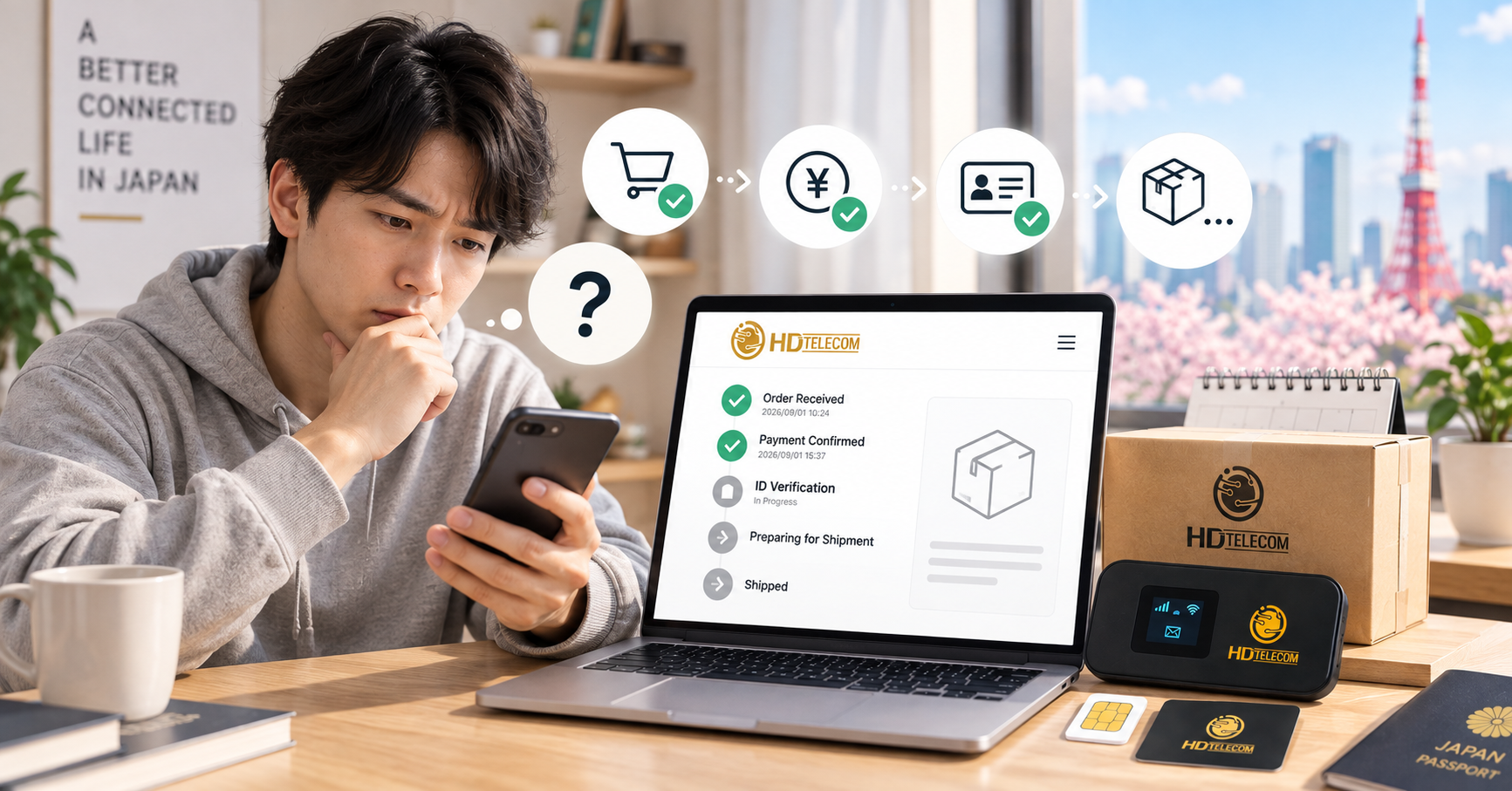
Quick Answer
In most cases, an unprocessed SIM/eSIM/WiFi order hasn't been forgotten — it's simply stuck at one of three points: the bank transfer hasn't been received yet, the transferer's name doesn't match the name on the order, or the ID photo doesn't meet verification requirements. Most orders held up for these three reasons are resolved within 1 business day after you submit the additional information.
What you should do right away: check your inbox (including the Spam/Promotions folder) for any request-for-additional-info email, double-check the transferer's name, then message support with your order number + a screenshot of the transfer receipt. See payment instructions and contact channels on the support page.
Who this article is for
This article is for foreigners living, studying, or working in Japan who have just placed an order but haven't received their SIM, haven't received the eSIM QR code, or haven't seen their order status change. Specifically:
- You ordered a monthly data SIM or a 12-month prepaid SIM but it's been several days with no sign of your item.
- You signed up for an eSIM and are waiting for the QR code but haven't received the email.
- You rented a monthly pocket WiFi and haven't received the device.
- You made a bank transfer (furikomi) but no one has confirmed receiving the payment yet.
- You're a foreign student, technical intern, or newly arrived engineer in Japan who isn't familiar with the identity verification process for buying a SIM here.
If you fall into one of these groups, most of the answers you need are in the Common Issues section below.
Cases NOT covered
This article does not address the following situations:
- Your order has already been processed and you've received the SIM, but it won't connect to the network. This is an APN configuration issue, a carrier lock, or an activation issue — a technical problem, not a stalled order.
- Orders placed with other carriers (docomo, SoftBank, Rakuten, other shops). Each provider's process, processing time, and tracking method differ; you'll need to contact wherever you placed your order directly.
- You want to cancel your order or change plans. This is a contract change request, which requires contacting support directly rather than waiting.
- You haven't completed the ordering process. If you haven't received any order confirmation email at all, your order likely wasn't submitted successfully — please place a new order on the products page.
Steps to take
Follow the 6 steps below in order. Most people find the cause by step 1 to step 3.
- Check your order confirmation email. Look in your inbox first, then check Spam / Junk / Promotions / Updates. If you're using a Japanese carrier email address (@docomo.ne.jp, @ezweb.ne.jp, @softbank.ne.jp), your phone may automatically be blocking emails from computers. Turn off the PC mail block setting or re-register using Gmail.
- Check for any email requesting additional documents. If your residence card photo is blurry, missing the back side, or the name doesn't match, the system will pause your order and send a request for more info. The order will stay on hold until you resubmit a new photo.
- Check your payment status. Open your transaction history in your banking app or a screenshot of your ATM receipt. Confirm: whether the correct amount was transferred, whether it went to the correct account number, and what name appears as the sender.
- Compare the transferer's name with the name on your order. If you asked a friend, landlord, or acquaintance to transfer on your behalf, the name shown in the bank's system will be that person's name — the accounting team has no way to match the payment to your order. This is the most common cause of stalled orders.
- Check the date and time of your transfer. If you transferred late at night, on a weekend, or on a Japanese holiday, the funds may not be credited until the next business day, depending on your bank.
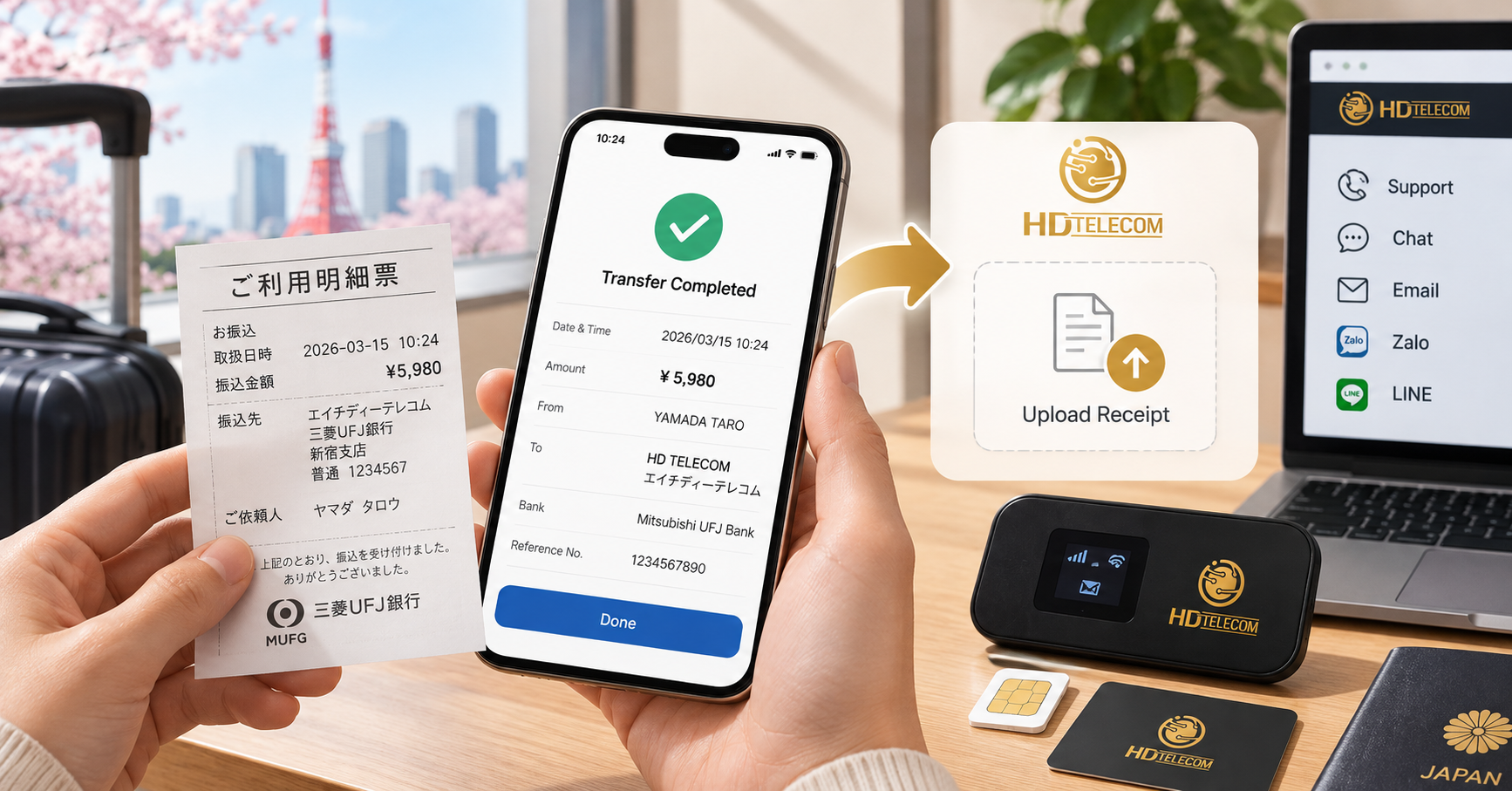
- Contact support with full information. Message us through the support channel on the support page and include: your order number, the registered name, the order date, a screenshot of the transfer receipt (showing date, time, and amount), and the transferer's name. With all 5 pieces of information, orders are usually looked up and processed within the same business day.
If you're waiting for an eSIM
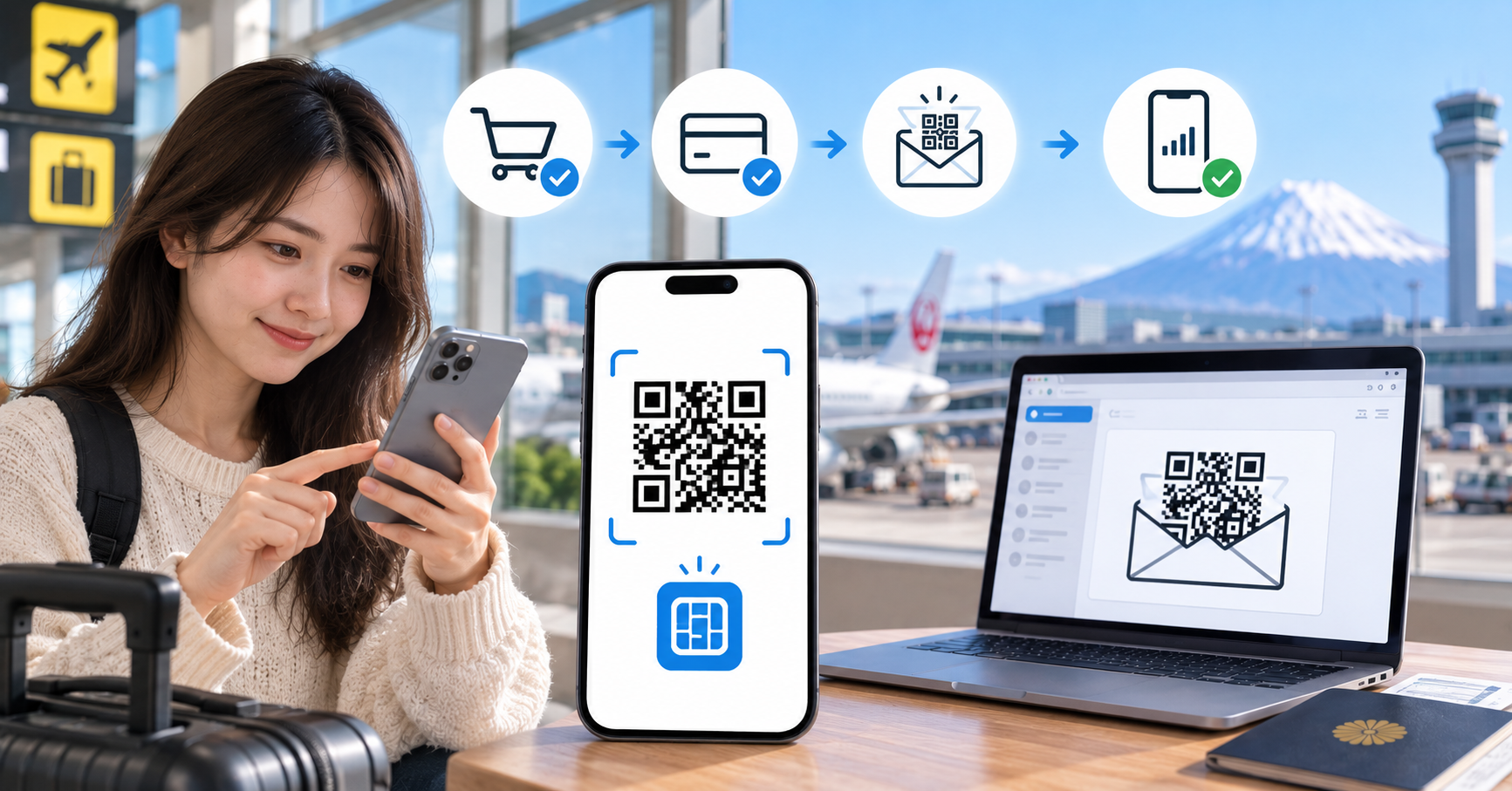
eSIMs aren't sent by mail — the QR code is sent via email. So if it's past the expected time and you still haven't received it, it's likely that the email was blocked or the email address you registered was incorrect. Double-check that you typed your email correctly (missing letters, extra dots), then send the correct email address to support.
If you're waiting for a physical SIM or WiFi device
Items are shipped via Japan Post. Also check: does your mailbox have your name on it? If the mailbox is unlabeled or still shows the previous tenant's name, the mail carrier may not be able to deliver it and the package will be returned. If you live in a dormitory or share house, also check the shared mail area and ask the building manager.
Documents to prepare
When contacting support about a stalled order, having the following ready will greatly speed up processing:
- Order number (found in your order confirmation email).
- The full name used when ordering, written in the exact order shown on your residence card.
- Photos of both sides of your residence card (在留カード), clear, with all 4 corners visible, no glare, and without covering the card number or expiration date.
- Passport (personal information page) if requested.
- A screenshot of the transfer receipt or transaction history screen, clearly showing the date, time, amount, and sender's name.
- Full delivery address including postal code, building name, and room number.
A note on document photos: your documents must be valid/not expired. An expired residence card, a card in the process of renewal without the new one yet, or a card with a blurry number will prevent the order from passing verification. If you're waiting on a renewal, let us know in advance so we can guide you on alternative documents.
Costs
Looking up and processing a stalled order is free of charge. However, there are a few real costs you should be aware of:
| Item | Reference amount | Note |
|---|---|---|
| Bank transfer fee (振込手数料) | Approximately 0–990 yen | Paid by the sender. Transfers within the same bank or via app are usually cheaper than ATM or counter transfers. |
| Reshipping fee if a package is returned | Depends on the specific order | Usually arises from an incorrect address or an unlabeled mailbox. Ask support before requesting a reshipment. |
| Order inquiries / lookups | Free | Via the official support channel. |
There is no such thing as an “express processing fee.” If anyone asks you to pay extra to have your order processed faster, stop and contact us directly through the official channel on the support page.
Deadlines / processing times
The timeframes below are reference figures under normal conditions, based on business days in Japan:
| Stage | Reference time |
|---|---|
| Automatic order confirmation email | A few minutes after ordering |
| Bank transfer confirmation | Same business day, or the next business day if transferred outside business hours |
| ID document review | Usually within 1 business day if the photo meets requirements |
| eSIM issuance (QR sent via email) | After document review and payment confirmation |
| Shipping physical SIM / WiFi device via mail | Usually 1–3 days after order approval, depending on region |
Three factors that extend processing time the most:
- Japan's long holidays: New Year (late December – early January), Golden Week (late April – early May), and Obon (mid-August). During these periods both banks and post offices are closed or delayed.
- Remote areas and islands: Hokkaido, Okinawa, and other islands typically add 1–2 extra shipping days.
- Documents requiring multiple resubmissions: each resubmitted photo starts a new waiting cycle, so try to get it right the first time.
Regarding bank transfers: since October 2018, Japan's interbank settlement system (全銀システム) added a mechanism allowing transfers outside business hours, but not all banks fully participate. Many banks still only credit funds on the next business day if you transfer after around 3:00 PM or on a holiday. Please check your specific bank's policy.
Where to submit / where to go
You don't need to go anywhere — all checking and document submission can be done online:
- Official support channel: find contact details, payment, and transfer instructions on the support page.
- Email: reply directly to your order confirmation email to keep the conversation history intact — this helps staff look up your order faster.
- Office in Shin-Okubo, Tokyo: if you're nearby and want to handle things in person, contact us in advance through the support channel to confirm visiting hours before you come.
- Japan Post: if your item has already shipped and you have a tracking number, you can track your package on Japan Post's official website or request redelivery (再配達) using the notice slip left in your mailbox.
For new orders, check the plan lineup on the products page to make sure you're selecting the right type (data SIM, eSIM, or WiFi).
Common issues
1. Asking someone else to make the transfer without notifying us beforehand
This is the number one reason orders get stuck. Japanese banking systems display the sender's name in katakana. If that name doesn't match the name on the order, accounting has no way of knowing which order the payment belongs to. Solution: immediately tell support the transferer's name, the date and time, and the amount.
2. Sending an insufficient amount due to transfer fees being deducted
Some people transfer the exact plan price, but the bank deducts a fee from the transfer, so the amount received is a few hundred yen short. The order will be held because it's incomplete. Solution: transfer the shortfall and let us know.
3. Residence card photo doesn't pass verification
Blurry photos, missing corners, glare from lighting, photos taken of another phone's screen, or only one side photographed. Identity verification when buying a SIM is required by Japanese law, so this step cannot be skipped. Solution: place the card on a dark background, in good natural light, photograph it straight-on from above, and submit both the front and back.
4. Registered name differs from the name on your documents
For example, your residence card says NGUYEN VAN A, but you registered as A NGUYEN or included Vietnamese diacritics. Even small discrepancies cause a mismatch. Solution: always enter your name in capital letters without diacritics, in the exact order printed on your residence card.
5. Delivery address missing room number or building name
In Japan, a missing room number almost always results in the package being returned. Solution: include the full 7-digit postal code, prefecture/city, ward, house number, building name, and room number; and make sure your name is labeled on your mailbox.
6. Registered email is incorrect or blocked
This is very common with eSIM. Not receiving the email means not receiving the QR code. Solution: use Gmail, check Spam, and disable PC-mail blocking if using a carrier email address.
7. Placing multiple duplicate orders
When the page loads slowly, many people click submit 2–3 times, creating duplicate orders. The system will hold these to confirm which order you want to keep. Solution: ask support to cancel the extra orders.
8. Ordering on a weekend or holiday and assuming the order was forgotten
Japanese banks are closed on Saturdays, Sundays, and holidays. An order placed Friday evening usually only gets payment confirmation on Monday. This is normal, not an error.
Frequently asked questions
I already made the transfer, so why hasn't my order been processed yet?
The funds may not have been credited yet (transferred outside business hours, on a weekend, or on a holiday), or the transferer's name doesn't match the name on the order. Sending a screenshot of the transfer receipt along with your order number to support is the fastest way to reconcile this.
How long should I wait before contacting support myself?
If after 1 business day since payment your order still shows no progress and you haven't received any request-for-additional-info email, contact us right away — don't wait any longer.
I didn't receive any email after ordering — does that mean my order failed?
Not necessarily. Check Spam first. If there's still nothing, you may have typed your email incorrectly, or the order wasn't submitted successfully. Contact support and provide your full name, contact phone number, and order date so we can look it up.
Why do I need to submit my residence card to buy a SIM in Japan?
Because Japanese law requires identity verification for anyone using mobile phone services. This is a mandatory requirement for all providers, not a policy specific to one company.
I asked a friend to make the transfer for me — what should I do?
Notify us in advance or immediately after the transfer: the transferer's name (as shown on the bank record), the amount, the date and time of transfer, and your order number. If you don't notify us, the order will remain on hold until it's manually reconciled.
Does an eSIM order take longer than a regular SIM order?
Actually the opposite. eSIMs don't require shipping, so they're usually faster, as long as your documents and payment are complete and your email can receive messages. If your eSIM is taking unusually long, it's almost always an email or document issue.
What if I move while waiting for my order?
Notify support of your new address as soon as possible. If the item has already shipped, you can register for Japan Post's mail forwarding service (転居届), but the safest option is still to notify us before the item leaves the warehouse.
Will I lose my money if my order gets automatically canceled?
If you've already made the payment but the order can't go through, contact support for guidance on handling that payment. Don't place a new order and make another transfer on your own without first discussing it with us, as this makes reconciliation even more difficult.
References
- Japanese Banks' Payment Clearing Network (Zengin-Net) — information on the interbank settlement system and crediting times for bank transfers in Japan: zengin-net.jp
- Japan Post — regulations on delivery times, package tracking, and redelivery services (再配達): japanpost.jp
- Ministry of Internal Affairs and Communications (総務省) — regulations on identity verification for mobile phone service contracts (携帯電話不正利用防止法): soumu.go.jp
- HD TELECOM — payment, transfer instructions, and support contact: support page
Note: regulations regarding identity verification, bank transfer crediting times, and delivery times may change. For matters related to residence documents or legal regulations, please verify with the relevant authority, or with your bank or post office.
Source review date
Content last checked and verified: May 20, 2025. We review this article periodically; if you notice any outdated information, please let support know so it can be updated.
Still not sure where your order stands?
If you've tried all the steps above and your order still hasn't moved, don't just keep waiting. Message HD TELECOM's support team with your order number and a screenshot of the transfer receipt — these are the two things that help us look up your order fastest. Find contact details on the support page.
If you need internet urgently while waiting for a physical SIM to arrive, a monthly eSIM is a faster option since you receive the QR code by email, with no need to wait for the post. And if you're not sure which type to choose, you can browse the full product lineup or read more guides on our blog.
Related products
Find your plan with HD TELECOM
SIM, eSIM and Pocket WiFi — genuine quality, clear pricing, 24/7 support.