Just moved house in Japan: Should you get Home WiFi or Fixed WiFi?
September 7, 2026
Quick Answer
If you plan to stay in your new place for less than 1–2 years, live alone, or only use the internet for studying, remote meetings, video streaming, and social media, Home WiFi (plug-and-play desktop router) or Pocket WiFi is the more practical choice—no construction required, no landlord permission needed, and you can get online the very same day.
If you plan to stay settled for 2 years or more, live with multiple people, play competitive online games requiring low latency, or frequently handle heavy files, you should install fixed broadband (fiber optic – 光回線), accepting a 2-week to 2-month installation wait and initial setup fees.
The deciding factor is usually not price, but rather: how long you will stay, whether the landlord allows drilling or running cables, and whether you can wait for the installation date.
Who This Guide Is For
This guide is written for foreigners living in Japan who have just moved and need internet access for their new apartment, specifically:
- International students moving from dormitories or share houses into their own private rentals.
- Foreign employees, technical interns, and Specified Skilled Workers who recently changed jobs, relocated to another prefecture, or moved into a new apartment.
- Tenants renting an apartment (アパート) or mansion (マンション) where the rent does not include free internet.
- Families of 2–4 people needing a shared connection for multiple smartphones, laptops, and smart TVs.
- Those currently relying on a phone data SIM who find their monthly data allowance insufficient at home.
If you are debating between "just getting by with pocket WiFi for now" and "getting fiber installed once and for all," this guide will help you make a choice based on your actual situation rather than advertising hype.
When This Does NOT Apply
This guide may not be relevant if you fall into any of the following situations:
- Your room already includes internet (インターネット無料 / インターネット完備). Many mansions include internet in the rent or management fee. Always verify with your management company before signing a new contract to avoid paying twice.
- You are staying temporarily for under 3 months (extended hotel stays, short-term share houses, temporary work assignments). In these cases, renting short-term WiFi or buying a large-capacity data SIM is far cheaper and easier.
- You only need internet for a single smartphone. A high-capacity monthly data SIM is usually plenty, without the need for an additional WiFi device.
- You do not yet have an updated address on your Residence Card (haven't registered your move-in at the local ward/city office). Most Japanese internet contracts require your registered address to match your official ID.
- You are leaving Japan in a few months. Fiber contracts typically come with a 2-year commitment and early termination fees; avoid signing up if you already know you will leave Japan soon.
How Do Home WiFi and Fixed Broadband Differ?
Before jumping into the steps, it is important to clearly understand the three types of devices often lumped together under the word "WiFi":
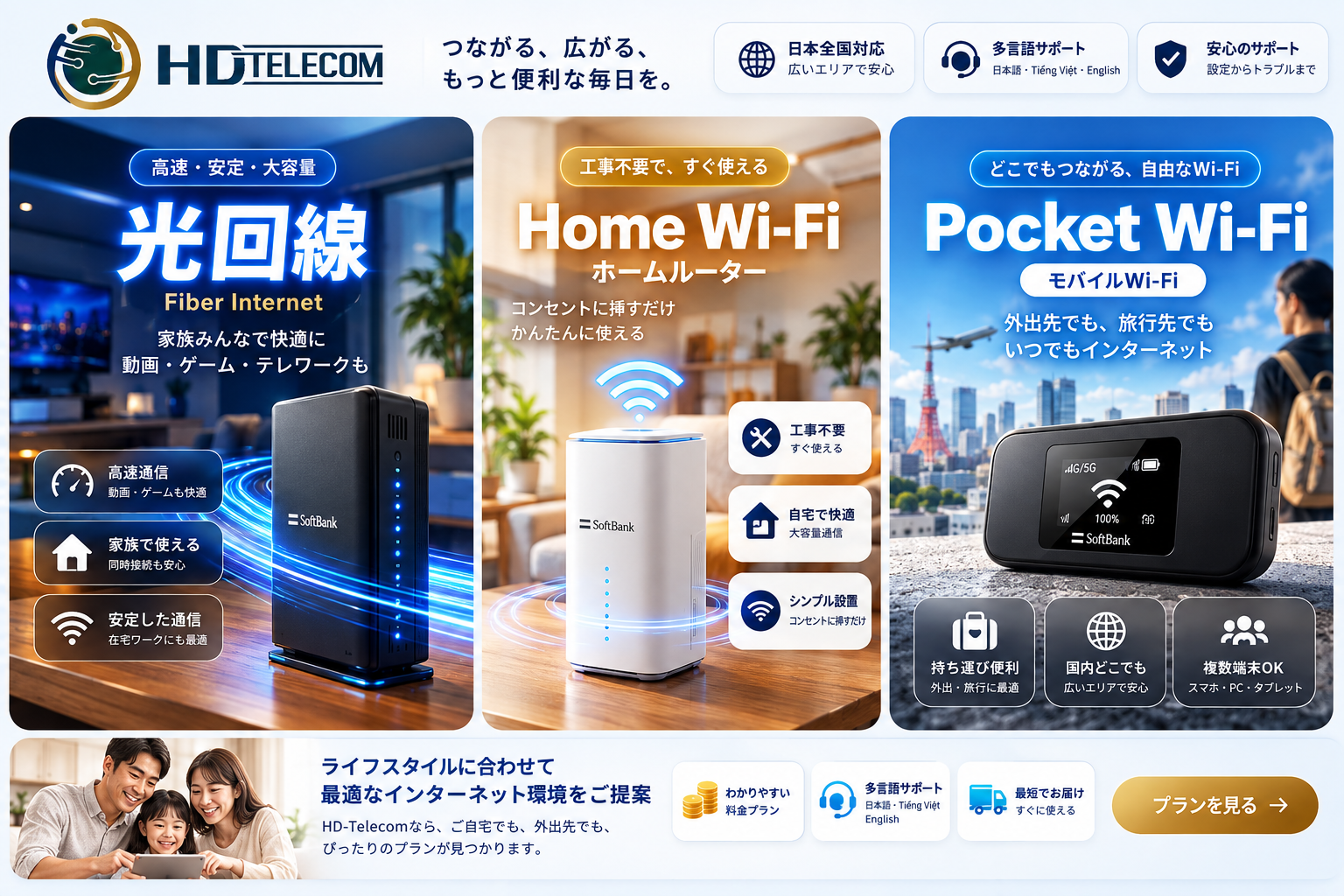
1. Fixed Broadband (光回線 – Fiber Optic)
A physical fiber optic cable is routed from the outside into your unit, connected to an Optical Network Unit (ONU), and then to a router. Requires on-site installation by a technician. Offers the fastest speeds, greatest reliability, and lowest latency (ping).
2. Home WiFi (ホームルーター – Cellular Home Router)
A standalone desktop router placed inside your room that broadcasts WiFi as soon as it is plugged into a wall socket, utilizing 4G/5G mobile signals instead of physical wires. No construction or wall drilling needed. Real-world speeds depend on cellular coverage at your address and peak-hour congestion.
3. Pocket WiFi (ポケットWiFi – Mobile WiFi)
A compact, battery-powered portable unit you can carry everywhere. Functionally similar to a Home WiFi router but smaller with slightly weaker antennas, balanced by exceptional portability: usable at home, at school, on trains, or during travels.
Quick Comparison Table
| Criteria | Fixed Broadband (Fiber Optic) | Home WiFi / Pocket WiFi |
|---|---|---|
| Time to Get Connected | Around 2 weeks – 2 months (can take longer during peak season in March–April) | Same day or 1–3 business days after receiving the hardware |
| Installation Work | Yes, requires someone at home; may involve drilling or routing cables | No, simply plug it in |
| Landlord Permission | Usually mandatory | Not required |
| Initial Setup Cost | Installation fee typically 15,000–40,000 yen (often split into monthly installments or discounted/waived) | Minimal to none, or just a device/deposit fee depending on the provider |
| Estimated Monthly Fee | Around 4,000–7,000 yen depending on mansion vs. detached house | Around 3,000–5,500 yen depending on the plan |
| Real-World Speed | High and stable, even during peak hours | Sufficient for study/meetings/streaming; may slow down during peak hours or in weak signal areas |
| Competitive Online Gaming | Excellent | Suboptimal due to higher latency |
| When Moving Again | Requires relocation procedures/re-installation, possible extra fees | Just take it with you (Home WiFi requires updating your registered address) |
| Contract Cancellation | Typically a 2–3 year lock-in with early termination fees | Many monthly rolling plans available; much more flexible |
Step-by-Step Guide
Follow these steps in order to avoid wasting time and money:
- Check if your new apartment already has internet. Review your lease agreement (賃貸契約書) or ask your property management company (管理会社) whether terms like "インターネット無料" (free internet) or "光配線済み" (fiber pre-wired) are listed. Many tenants sign new contracts unnecessarily when free service is already available.
- Determine how long you will stay. Under 2 years: lean toward Home WiFi or Pocket WiFi. 2 years or longer with no plans to relocate: fiber optic becomes well worth the investment.
- List your actual needs. Number of users, number of devices, 4K streaming, daily video conferencing, competitive gaming (FPS/MOBA), or frequent large file downloads.
- Ask your landlord about physical installation. If you choose fiber optic, secure written confirmation via message or email granting permission for installation work. Some older buildings prohibit drilling, while others have reached capacity on available line terminals.
- Check cellular reception at your new address if choosing Home WiFi. An easy way: stand inside your room, take a phone connected to the same carrier network, and run speed tests across different spots (near windows, center of the room). Lower floors, interior-facing units, and thick concrete walls often get weaker signals.
- Select your solution and apply. For fiber optic: apply online or at a carrier shop, then await a phone call to schedule your installation appointment. For Home WiFi/Pocket WiFi: apply and receive the device by mail, usually within 1–3 business days.
- Prepare a temporary connection while waiting. If you choose fiber but have to wait a month for installation, use a high-capacity data SIM or rent monthly WiFi so your work or studies are not disrupted.
- Set up and run a speed test. Once online, test your speeds during your peak usage hours (typically 8:00 PM – 11:00 PM). If it is too slow, contact customer support promptly to adjust WiFi channels, reposition the router, or modify your plan.
- Cancel your old internet contract. Do not forget to call and cancel or transfer your previous internet subscription, or you will continue to be billed every month.
Required Documents
Whichever option you choose, you will generally need:
- Valid Residence Card (在留カード) with your new address officially updated on the back (completed at your local ward/city office within 14 days of moving).
- Passport (sometimes requested by providers as supplementary identification).
- Full address in Japanese, including the building name and room number—leaving out the building name is one of the most common reasons hardware deliveries fail and get returned.
- Japanese credit card or bank account for recurring monthly billing. If you do not have one, check beforehand whether the provider accepts direct bank transfers (振込) or convenience store (konbini) payments.
- Reachable phone number to receive the installation scheduling call (for fiber optic, technicians will almost always call in Japanese).
- For fiber optic only: written or digital permission from the landlord/management company authorizing installation work.
Home WiFi and Pocket WiFi usually only require a Residence Card and a delivery address, with no housing-related paperwork needed—which is why newcomers to Japan often choose these options first.
Cost Breakdown
The figures below reflect typical market rates in Japan at the time of review; actual pricing varies by provider, region, and promotional campaigns. Always verify the official price schedule before signing.
Fixed Broadband (Fiber Optic)
- Initial administrative/registration fee: approx. 800–3,300 yen.
- Installation fee: approx. 15,000–40,000 yen, frequently split into 12–36 monthly installments; some promotions waive this fee entirely if you stay for the required contract term.
- Monthly fee: approx. 4,000–5,500 yen for mansions, 5,000–7,000 yen for detached houses (may or may not include ISP [プロバイダ] fees, depending on the plan).
- WiFi router rental: 0–500 yen/month, or you can purchase your own for around 4,000–10,000 yen.
- Early termination fee: under revised regulations from Japan's Ministry of Internal Affairs and Communications (総務省) effective July 2022, contract cancellation fees are capped at no more than one month's subscription fee. However, any remaining unpaid balance of the installation fee must be paid in full as a lump sum—this is the unexpected expense that catches many people off guard.
Home WiFi / Pocket WiFi
- Installation fee: 0 yen.
- Monthly fee: approx. 3,000–5,500 yen depending on data limits and device model.
- Device cost: some plans include the device for free, some offer installment purchases, and others are rental-based. If renting, you must return the hardware upon termination—lost or damaged devices incur compensation fees.
- Device shipping fee: typically 0–1,000 yen.
Estimated Total Cost for Year 1
| Option | First-Year Cost (Estimated) | Best Suited For |
|---|---|---|
| Mansion Fiber Optic | Approx. 55,000–85,000 yen (incl. installation) | Long-term stays, multiple users, need high speeds |
| Home WiFi | Approx. 40,000–60,000 yen | 1–2 year stays, 1–3 users, studying/work/streaming |
| Monthly Pocket WiFi | Approx. 40,000–60,000 yen | Need on-the-go internet, uncertain stay duration |
| Large-Capacity Data SIM Only | Lowest | Living alone, primarily smartphone usage |
Timelines & Processing Times
- Pocket WiFi / Home WiFi: Once registered, the device usually arrives within 1–3 business days. Plug it in or power it on, and you are ready to connect—no technician needed.
- Fiber in pre-wired mansions: Approximately 2 weeks to 1 month from application to activation.
- Fiber in detached houses or un-wired buildings: Usually 1–2 months, or potentially longer if site surveys and special permits are required.
- Peak season in March and April (moving, school admission, and new job season in Japan): Installation schedules fill up rapidly, leading to significantly longer wait times. If you move during this window, apply as early as possible or use a monthly WiFi rental while waiting.
- Updating address on Residence Card: Must be completed within 14 days of moving, per immigration and local municipality regulations. Completing this first will ensure smoother internet registration.
Where to Apply / Where to Go
- Applying for fiber optic: On the carrier's official website, at docomo/SoftBank/au counters in shopping malls, or through sales agents at major electronics retailers (Yodobashi, Bic Camera). Note: Electronics store promotions often bundle gifts with optional paid add-on services—read the terms carefully.
- Applying for Home WiFi / Pocket WiFi: Online, with hardware delivered directly to your door. This is the fastest method for recent movers.
- Updating Residence Card address: At the Residents' Affairs counter (住民課 / 市民課) of the ward office or city hall of your new municipality.
- Requesting installation permission: Contact the building management company (管理会社) or the landlord (大家さん), whose details can be found on your lease agreement.
- For HD TELECOM customers: You can apply online and receive devices via postal delivery, or visit our store in Shin-Okubo, Tokyo in person. Check our payment and bank transfer instructions on our support page.
Common Mistakes to Avoid
- Signing a fiber contract when your room already has free internet. Double-check your lease first—this oversight can cost you tens of thousands of yen unnecessarily.
- Installing fiber optic only to move 6 months later. You will be forced to pay off the remaining installation balance and potentially pay for new installation at your next place. Only choose fiber if you are confident about staying long-term.
- Failing to get landlord approval before the technician arrives. Technicians have turned around because wall drilling wasn't permitted, wasting your day off and potentially incurring cancellation fees.
- Leaving out the building name or room number. Packages are often returned to sender, causing days of delay.
- Placing the Home WiFi router in a corner, against concrete walls, or on the floor. Keep it elevated near a window, away from microwaves and fish tanks. Repositioning alone can noticeably improve performance.
- Expecting Home WiFi to run competitive gaming as smoothly as fiber. Download speeds might look comparable, but latency is generally higher. If gaming is your top priority, go with fiber optic.
- Forgetting to cancel the internet contract at your previous residence. Service providers do not know you moved; bills will keep accumulating.
- Only looking at promotional introductory rates. Cheap monthly deals often expire after 6–12 months. Calculate the total cost over 24 months for an honest comparison.
- Not checking network coverage beforehand. Home WiFi runs on cellular signals; if your apartment has weak reception, performance will be poor regardless of how good the plan is.
Frequently Asked Questions
Is Home WiFi sufficient for Zoom meetings and online classes?
In most cases, yes, provided you have good 4G/5G reception. A single-person video call only requires a stable 3–5 Mbps. Issues typically arise during evening peak hours or when multiple people use the network simultaneously.
I live in a share house. Should I install my own internet line?
Generally, fiber optic is not recommended because it requires building approval and the infrastructure belongs to the property. If the shared network is too slow, a personal Pocket WiFi or Home WiFi in your room is a much cleaner solution.
Can I keep using my Home WiFi if I move again?
Yes, simply take it with you and plug it in. However, many providers require you to register your change of address when you move—be sure to notify them in advance, or the service may be suspended/throttled. Pocket WiFi has no such location restriction.
Can I apply without a Japanese credit card?
Some providers require a credit card, while others accept bank transfers or convenience store (konbini) payments. Always confirm beforehand. At HD TELECOM, you can check accepted payment methods on our support page.
Does fiber optic have a data cap?
Standard fiber optic plans typically offer truly unlimited data. With Home WiFi and Pocket WiFi, plans may be advertised as unlimited, but carriers may throttle speeds if you use an exceptionally large volume of data in a short period—be sure to read the fair use/speed throttling terms carefully.
How can I get online while waiting a month for fiber installation?
Two common solutions: rent monthly WiFi (return it when finished, no long-term commitment) or temporarily use a high-capacity data SIM and tether via 4G from your phone to your laptop.
Are internet contract cancellation fees high in Japan?
Since July 2022, regulations from Japan's Ministry of Internal Affairs and Communications (MIC / 総務省) cap termination penalties at no more than one month's subscription fee. However, any unpaid balance on your installment-based installation fee must be paid off in full—which can amount to tens of thousands of yen.
Bottom line: Which one should I choose?
Staying under 2 years, 1–3 people, no competitive gaming: choose Home WiFi or Pocket WiFi. Staying long-term, multiple users, need top speeds and lowest latency, landlord approves installation: choose fiber optic.
References & Sources
- Ministry of Internal Affairs and Communications (総務省) — regulations on telecommunications contracts and cancellation fee caps: soumu.go.jp
- NTT East (東日本電信電話) — fiber optic service info, installation fees, and registration procedures: web.ntt-east.co.jp
- NTT docomo — home router and fiber optic rate tables: docomo.ne.jp
- SoftBank — home internet service details: softbank.jp
- UQ WiMAX — home router and pocket WiFi specs, coverage maps: uqwimax.jp
- Immigration Services Agency of Japan (出入国在留管理庁) — requirement to report address changes within 14 days: moj.go.jp/isa
Note: Service fees, installation costs, and promotional terms in Japan change frequently by region and campaign period. Before signing a contract, verify the details on the provider's official website or consult their service desk directly. For procedures concerning your Residence Card and address registration, check with your local ward/city office.
Source Verification Date
The information and pricing benchmarks in this article were last verified on June 10, 2025. If you are reading this significantly later, please cross-reference with the providers' official websites before making a decision.
Need Internet Access This Week?
If you have just moved and don't want to commit to a 2-year fiber contract, HD TELECOM offers monthly Pocket WiFi—no installation fees, no landlord permission needed, portable for school or work, and perfect as a temporary connection while waiting for fiber installation.
If you live alone and primarily use your smartphone, a monthly data SIM or monthly eSIM might be a more economical option.
You can explore all options on our products page, or message our customer support team via our support page for personalized advice tailored to your exact address and needs. We will tell you honestly if your situation is better suited for fiber optic rather than monthly WiFi.
Related products
Find your plan with HD TELECOM
SIM, eSIM and Pocket WiFi — genuine quality, clear pricing, 24/7 support.