

Failed or Cancelled Online Payments in Japan: Quick Fixes
September 7, 2026
Quick Answer
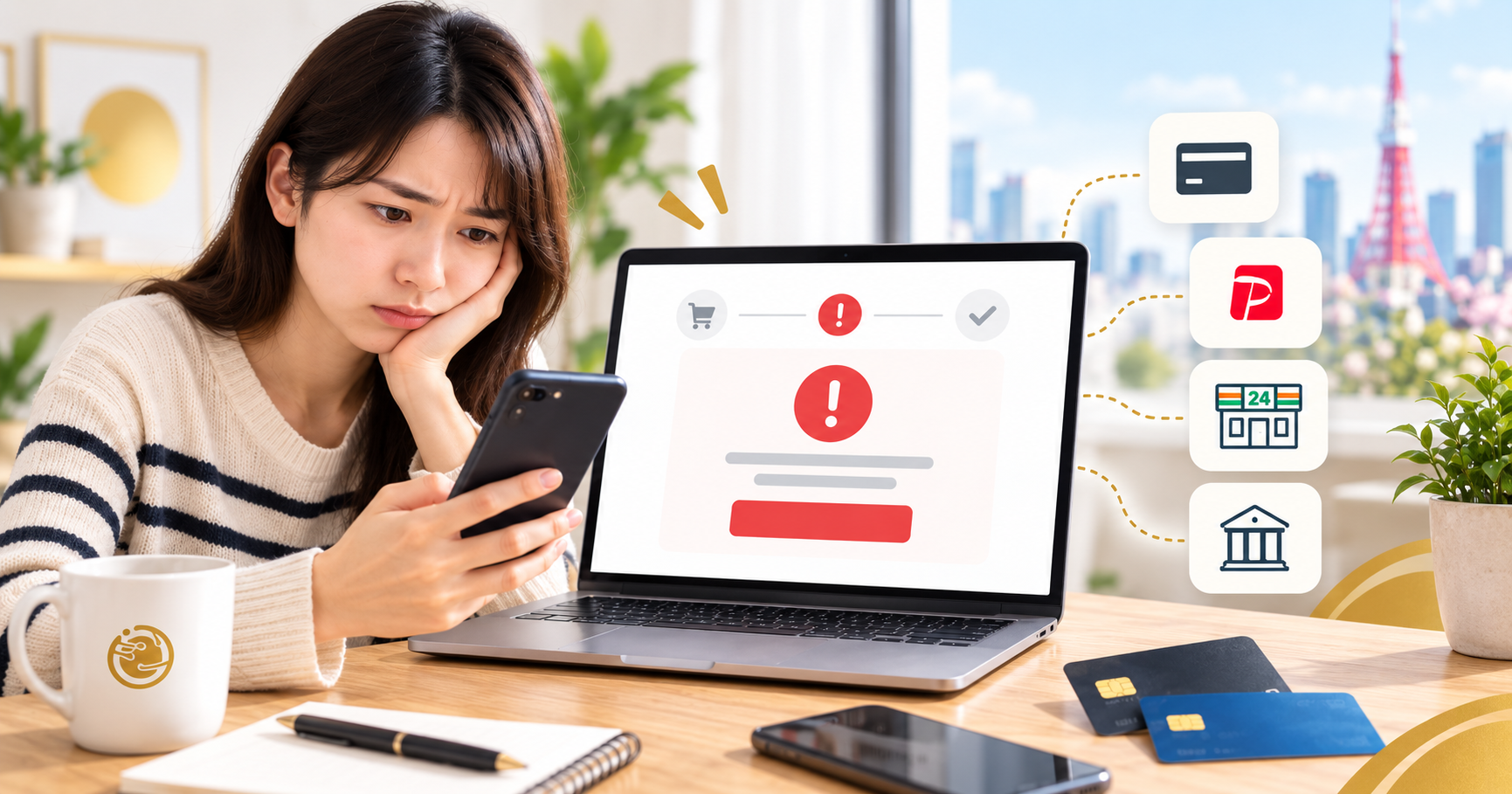
When an online payment fails or gets canceled, the first thing to do is NOT repeatedly clicking the pay button. Take a screenshot of the error code, check your banking app or card issuer notification email to see whether money was actually charged or if it is merely an authorization hold (which usually drops off automatically within 3–60 days depending on your card issuer). Then, try again just once after 15–30 minutes; if it still fails, switch to an alternative payment method (bank transfer, konbini, a different card) and contact the shop with your order ID, date and time, amount, and error screenshot.
Most payment failures in Japan stem from four main causes: 3D Secure is not enabled on the card, entered details do not match the card registration, insufficient credit limit or account balance, and overnight bank system maintenance. Repeatedly submitting payment requests will only trigger the card issuer's fraud detection and temporarily freeze your card.
Who This Guide Is For
This guide is for foreigners living, studying, or working in Japan who run into any of the following situations:
- Purchasing a SIM, eSIM, Pocket WiFi, or topping up online when the screen displays 「カードが承認されませんでした」 (card was not approved) or 「エラーが発生しました」 (an error has occurred).
- An order remains stuck in pending payment status instead of updating to paid, and eventually auto-cancels after a few days.
- Money has been deducted in your banking app, but the shop reports it has not been received.
- You were charged twice because you clicked the pay button multiple times.
- You completed a bank transfer (振込), but the shop cannot locate the transaction.
- Your transaction was declined when using a Japanese debit card (Rakuten, Sony Bank, JP Bank, Shinsei, etc.) or a prepaid card (Vandle, Kyash, au PAY, etc.).
This information generally applies to most e-commerce websites in Japan, along with specific guidance for HD TELECOM customers.
When This Guide Does NOT Apply
This guide does not apply to the following scenarios—please handle them through the appropriate channels:
- You suspect a scam or a fraudulent website: stop all actions immediately, call the emergency number on the back of your card to freeze it, then report the incident to the police (cybercrime consultation hotline #9110) and the Consumer Affairs Center (hotline 188).
- Unauthorized transactions on your card: this requires filing a fraudulent charge report (不正利用の申告) with your card issuer, not resolving a technical error.
- You want to cancel a successfully paid order and request a refund: this falls under each shop's specific return/refund policy and is not covered in this guide.
- Overdue utility bills, taxes, or health insurance payments: you must contact the service provider or your local ward office directly, as late fees may apply.
- Paying on non-Japanese websites using a Japanese card: payment failures are typically due to international transaction blocks; check directly with your card issuer.
Step-by-Step Instructions
Follow these steps in exact order. Do not skip ahead, as Steps 1 and 3 will help you avoid unnecessary charges.
- Stop and do not click pay again. Every click sends a separate request to your card issuer. Clicking 5–6 times in a row can trigger fraud prevention systems to freeze your card for 24 hours or create multiple simultaneous authorization holds.
- Take a screenshot of the error message. Capture the error code (e.g., E01, 2C01, 3D Secure authentication failure / 3D Secure認証失敗…) along with the exact time on your device. This is the most crucial piece of evidence when contacting the shop or your bank.
- Check whether you were actually charged. Open your banking app, card issuer app, or check your instant transaction notification email (利用速報メール). Distinguish between two situations:
- Authorization hold (オーソリ/仮売上): The transaction appears in the app, but the shop has not captured the funds. This hold will release automatically, usually within 3–60 days.
- Settled charge (売上確定): The money has actually been transferred to the merchant. In this case, you must contact the shop to reconcile the order.
- Quickly review the common causes checklist (see the Common Mistakes table below): is the cardholder name entered in uppercase Latin letters exactly as printed on the card, has the card expired, is there sufficient balance, is a VPN active, did you receive the 3D Secure SMS verification code?
- Try again just once after 15–30 minutes. Before trying again: switch browsers (Safari to Chrome or vice versa), turn off any VPN, switch from Wi-Fi to 4G/5G (or vice versa), clear your browser cache, and avoid incognito mode if the site requires session cookies.
- Switch your payment method. This is the fastest way to get your order on schedule. In Japan, common alternatives include bank transfer (銀行振込), konbini payment, e-wallets (PayPay, au PAY), or a card under a family member's name. For HD TELECOM customers, supported payment methods and account details are listed on our support page.
- Call your card issuer or bank if the issue persists. The phone number is on the back of your card. Simply provide: the transaction date and time, the amount, the shop's name, and ask why the transaction was declined. Many help desks offer English support; if your Japanese is limited, ask a Japanese speaker to help you make the call.
- Contact the shop with complete information. Provide: order ID, full name and email address used when placing the order, payment date and time, amount, payment method, last 4 digits of the card (DO NOT send all 16 digits and NEVER send your CVV code or password), and the error screenshot. With all this details in hand, the shop can look up your issue in minutes instead of taking days going back and forth.
- If you paid via bank transfer: take a screenshot of the transfer confirmation or ATM receipt (振込明細) and attach it. Be sure to provide the sender name exactly as displayed in the banking system (usually in Katakana), as the shop reconciles payments using this name.
- Track your refund if charged multiple times. Note the date you reported the issue, the support agent's name (if calling), and keep all email correspondence until the funds are returned.
- If you need your SIM/WiFi urgently today: do not wait for the payment issue to be fully sorted out. Choose an alternative payment method or visit our store in Shin-Okubo directly to pick up your product right away; any pending charges can be reconciled later.
Troubleshooting Table
| Issue | Common Cause | Action Needed |
|---|---|---|
| 「カードが承認されませんでした」 | Incorrect card details, limit exceeded, card locked | Verify the 4 card detail fields, call your card issuer |
| Did not receive SMS verification code | 3D Secure not registered, outdated phone number on file | Log in to your card issuer app to register or update your phone number |
| Payment page loops or goes blank | VPN active, browser blocking cookies, unstable connection | Turn off VPN, switch browsers, switch from Wi-Fi to 4G |
| Money deducted but order not created | Connection dropped mid-transaction, or merely an authorization hold | Send transaction screenshot to the shop and wait for reconciliation |
| Charged twice | Clicked the pay button multiple times | Contact the shop immediately to request cancellation of the duplicate charge |
| Bank transfer sent but shop hasn't received it | Sender name differs from order name, after-hours transfer, bank maintenance | Send receipt screenshot and the actual sender name used |
| Order auto-canceled after a few days | Payment holding deadline expired | Place a new order and choose a different payment method |
Documents and Information to Prepare
Having these ready before contacting the shop or your bank will save you days of waiting:
- Order ID and the email/phone number used when ordering.
- Screenshot of the error, clearly showing the time and error code.
- Screenshot of the transaction in your banking app or the 利用速報 (instant transaction alert) email (blur out unnecessary personal info).
- Last 4 digits of the card and the issuing bank's name. Never send your full 16-digit card number, CVV code on the back, password, or OTP code to anyone—even someone claiming to be a customer support agent.
- Bank transfer receipt (振込明細書) if paying via transfer, or konbini receipt if paid at a convenience store.
- Residence Card (在留カード): only needed when signing up for a voice/calling SIM with a phone number, as Japanese law mandates identity verification. Data SIMs, data eSIMs, and Pocket WiFi generally do not require it.
Costs and Fees
Resolving a payment error itself is free of charge. Any potential costs come from using alternative payment methods:
| Item | Typical Range | Notes |
|---|---|---|
| Same-bank transfer fee via app | 0 – 220 yen | Many online banks offer several free transfers per month |
| Interbank transfer fee | Approx. 145 – 880 yen | Over-the-counter transfers are most expensive; mobile apps are cheapest |
| Konbini payment fee | 0 – a few hundred yen | Depends on whether the shop charges a processing fee |
| Failed transaction reprocessing fee | 0 yen | No reputable merchant charges this fee |
| Foreign exchange markup on non-Japanese cards | Approx. 1.6 – 3% | Determined by your card issuer |
Bank transfer fees vary by institution and change over time. Please check the transfer fee table (振込手数料) in your banking app before transferring.
Timeframes and Processing Times
- Automatic release of authorization holds: typically 3–60 days, most commonly within one billing cycle (about 1 month). If it takes too long, contact your card issuer to request an early release.
- Credit card refunds: money rarely appears in your balance immediately; it is usually credited on your next or subsequent month's billing statement—meaning 1–2 months.
- Debit card refunds: faster, usually within a few business days to 2–3 weeks depending on the bank.
- Bank transfers: Japan's interbank network operates near 24/7, and many transfers arrive within minutes. However, many banks have nightly maintenance windows (typically 11:00 PM – 7:00 AM the next day), and weekend/holiday transfers may only be reconciled on the next business day.
- Konbini payments: recorded by the system within minutes to a few hours.
- Shop payment holding period: typically 3–7 days, after which the order auto-cancels. If you need more time, message the shop before the order expires.
- Activation after successful payment: eSIM QR codes are usually sent within business hours on the same day; physical SIMs and Pocket WiFi depend on shipping delivery times.
Where to Go and Who to Contact
- Card issuer / bank: call the number on the back of your card, or use in-app chat. They are the only ones who know the exact reason a transaction was declined.
- The merchant: for HD TELECOM customers, all details regarding payments, bank transfers, and support channels are centralized on our support page.
- Direct store visit: HD TELECOM has an office in Shin-Okubo, Tokyo—if you need a SIM or Pocket WiFi immediately today and online payment keeps failing, visiting us in person is the fastest option.
- ATM / banking app / konbini: locations where you can complete alternative payment methods.
- Consumer Affairs Center (消費生活センター): dial 188 if you encounter an unresponsive shop, refused refunds, or suspect fraud. Multilingual consultation is available in many municipalities.
Common Mistakes
Mistakes When Entering Card Information
- Entering the cardholder name in Japanese or accented Vietnamese. You must enter it in uppercase Latin letters exactly as printed on the card, e.g., NGUYEN VAN A.
- Entering the expiration date in reverse order (month/year inverted).
- Entering an address different from your registered billing address. Some payment gateways cross-verify this detail.
- Using someone else's card while entering your own name—almost guaranteed to be declined.
3D Secure Issues
Starting in 2025, e-commerce websites in Japan are required to implement EMV 3-D Secure authentication under security guidelines from the Japan Consumer Credit Association. What this means in practice:
- If you have not registered for 3D Secure in your card issuer app, transactions may be declined immediately.
- If the phone number registered with your card issuer is an old, canceled number, you will not receive the authentication code. This is an extremely common issue among foreigners who have switched carriers.
- Verification codes expire within a few minutes; entering them too late will cause the transaction to fail.
Card and Balance Issues
- Debit or prepaid cards lacking sufficient funds at the exact moment you pay (unlike credit cards, debit cards deduct money immediately).
- Domestic-only prepaid cards cannot be processed on certain payment gateways.
- Exceeding monthly spending limits, or the card being suspended due to unpaid balances from a previous billing cycle.
- Newly received cards that have not been activated.
Mistakes When Making a Bank Transfer
- Sender name does not match the order name. For example, having a friend transfer on your behalf without notifying the shop—the shop has no way of knowing the payment came from you.
- Transferring less than the required amount due to deducted fees, resulting in a shortfall of a few hundred yen.
- Transferring to the wrong account number—contact your bank immediately; retrieving misdirected funds takes time and is not always guaranteed.
- Transferring late at night or on holidays, then getting anxious because the shop hasn't confirmed it yet.
Handling Errors That Cause Further Delays
- Clicking the payment button 5–10 times before reporting it to the shop.
- Sending a vague message like "I have an error" without an order ID, screenshot, or amount.
- Creating multiple new orders in a row for the same item, causing duplicate order records.
- Deleting your order confirmation email.
- Sending your full card number and CVV via chat—extremely dangerous, and no legitimate business will ever ask for this.
Frequently Asked Questions
The payment showed an error, but money was deducted. Did I lose my money?
Usually, no. In most cases, it is merely an authorization hold that will automatically drop off within 3–60 days. If the funds have not returned after a full billing cycle, call your card issuer and contact the shop with a screenshot of the transaction.
I clicked pay 3 times. Will I be charged 3 times?
It may create 3 authorization holds, but typically only one transaction gets settled. Notify the shop right away so they can cancel the redundant transactions—don't wait until your billing statement arrives.
Why was my Japanese debit card declined?
Three common reasons: insufficient balance at the time of payment, online/overseas transaction features not enabled in your banking app, or 3D Secure not registered. Check all three before trying again.
How can I pay if I don't have a card?
You can pay via bank transfer using your app or an ATM, or choose other accepted payment methods. HD TELECOM's bank transfer details and instructions can be found on our support page.
My order was auto-canceled. Do I have to pay any fee?
No. There are no fees for canceled, unpaid orders. Simply place a new order; please note that promotional pricing or out-of-stock plans may no longer be available when reordering.
I already transferred the money, but the shop hasn't confirmed it. When should I follow up?
If transferred during regular business hours on a weekday, wait about 1 business day before inquiring. If transferred late at night, on weekends, or during holidays, allow time starting from the next business day.
I need a SIM urgently today. What should I do?
Choose an eSIM to receive a QR code as fast as possible once payment is confirmed, or visit our store in Shin-Okubo directly. Don't just sit and wait for a failed transaction to resolve itself.
Can the shop ask me to send photos of the front and back of my card?
No. You should only ever provide the last 4 digits. Anyone demanding your full card number, CVV code, password, or OTP code is suspicious—stop immediately and verify.
References
- National Consumer Affairs Center of Japan (国民生活センター) — online shopping dispute guide, consultation hotline 188: kokusen.go.jp
- Consumer Affairs Agency (消費者庁) — e-commerce transaction regulations: caa.go.jp
- Japan Consumer Credit Association (一般社団法人日本クレジット協会) — Credit Card Security Guidelines, EMV 3-D Secure implementation requirements for e-commerce websites in Japan: j-credit.or.jp
- Japanese Banks' Payment Clearing Network (一般社団法人全国銀行資金決済ネットワーク / Zengin-Net) — interbank transfer clearing times: zengin-net.jp
- 3D Secure user guides and transaction lookup pages of respective card issuers (JCB, Mitsui Sumitomo Card, Rakuten Card, etc.) and your banking app.
- HD TELECOM's support page — payment methods, bank transfer details, and contact channels.
Note: Fees, processing times, and authentication rules may vary by bank, card issuer, and timing. For issues related to your personal account and transactions, please verify directly with your bank or card issuer.
Source Verification Date
This content was cross-checked against the above sources on June 12, 2025. If you are reading this guide long after this date, please re-check the latest fee schedules and authentication rules in your banking app.
Need Payment Assistance? HD TELECOM Is Here to Help
If you are purchasing a SIM, eSIM, or Pocket WiFi from HD TELECOM and encounter a payment error, please do not place repeated orders. Keep your error screenshot and order ID, then reach out via our channels on the support page—where you will also find bank transfer instructions if you prefer an alternative payment method.
Haven't chosen a suitable plan yet? Check out our monthly data SIM, monthly eSIM if you need immediate setup today, and Pocket WiFi for families or groups. All products are listed on our product catalog page.
Vietnamese in Japan often run into these exact same hurdles—you don't have to figure it out all on your own. Feel free to message us in Vietnamese, and we'll help you untangle it step by step.
Related products
Find your plan with HD TELECOM
SIM, eSIM and Pocket WiFi — genuine quality, clear pricing, 24/7 support.

How to Set Up Wi-Fi in Japan If Your Apartment Already Has an Internet Outlet: A-to-Z Guide
When Does HD Telecom Ship Physical SIMs or Pocket WiFi? Delivery Times
Paying in Japan: What's the difference between combini, PayPay, cards, and bank transfers?

A-to-Z Guide to Winning Study Abroad Scholarships in Japan for Vietnamese Students