How to Set Up Wi-Fi in Japan If Your Apartment Already Has an Internet Outlet: A-to-Z Guide
September 7, 2026
Quick Answer
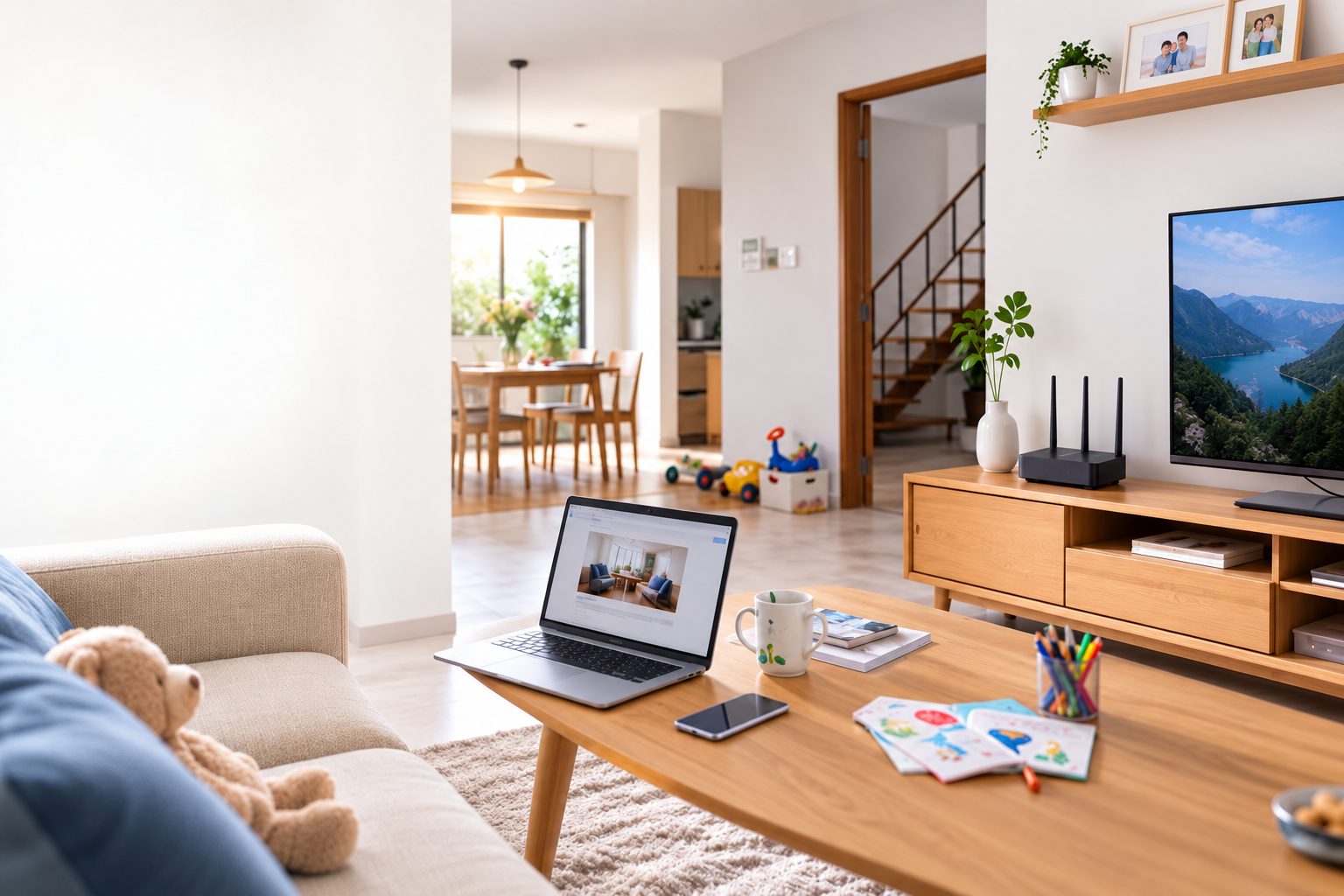
If your room already has a LAN port (a flat jack resembling a phone jack but larger) and your lease agreement states インターネット無料 (Free Internet) or ネット対応 (Internet-ready), in most cases you only need to buy a Wi-Fi router for around 3,000–8,000 yen and plug in the LAN cable to start using it immediately, with no contract required and no monthly fees.
However, if the wall port is an optical outlet (光コンセント) or just a modular telephone jack (モジュラージャック), having an existing wall port simply means that the wiring has been run to your room—you will still need to sign up for an internet contract with a provider yourself (around 4,000–6,000 yen/month), with the main advantage being that you typically won't need wall drilling or long installation waiting times.
Therefore, your very first step is not to call an internet provider, but to take a close look at the wall port and ask the building management company (管理会社) which category your building falls under.
Who This Guide Is For
This guide is for you if:
- You are an international student, technical intern, engineer, or foreign worker who just moved into an apartment in Japan and spotted an unfamiliar wall jack without knowing what it is.
- Your rental agreement or apartment flyer includes phrases like: インターネット無料 / インターネット完備 / ネット対応 / 光配線方式 / LAN配線方式.
- You don't want to waste money signing up for a private internet connection if the building already provides shared internet.
- You live in a rental property and cannot drill into walls or make holes, requiring a no-construction solution.
- You want to know when to buy a router, and when to use a pocket Wi-Fi or data SIM instead of installing fixed broadband.
When This Guide Does NOT Apply
This article is not intended for the following situations:
- Apartments with no internet wiring at all (no LAN port, no optical outlet, no telephone jack). In this case, you must request permission from your landlord for fiber installation work, which involves completely different procedures and timelines.
- A detached house (一戸建て) that you own—you have full authority to carry out construction work without the restrictions of a rental.
- Company dormitories or school dorms with their own specific rules: many forbid setting up your own router, or mandate using officially provided equipment. Check with your dorm administration first.
- You are staying for less than 6 months. Fixed internet contracts usually lock you into a 2-year term with early termination fees. In this case, a pocket Wi-Fi or data SIM without a long-term contract is a much better choice.
- You need internet access today and your building doesn't offer free internet—no fixed broadband option can be installed same-day.
Step-by-Step Instructions
Step 1: Identify Which Wall Outlet Your Room Has
Walk around your apartment and inspect the baseboards near the TV area, near the entrance, or inside built-in closets. You will likely see one of the following outlet types:
| Outlet Type | How to Identify | What You Need to Do |
|---|---|---|
| LAN Port (LANコンセント) | Large square jack, identical to a computer network port, often labeled "LAN" | Plug a LAN cable into a Wi-Fi router. Usually works immediately if the building provides shared internet |
| Optical Outlet (光コンセント) | Small port with a flip cover, round green or white connector inside, usually labeled "光" or "SC" | Sign up with a fiber ISP; they will ship a modem to your door for self-installation |
| Telephone Jack (モジュラージャック) | Small, narrow rectangular jack, typical landline phone port | Only supports ADSL (mostly phased out)—contact ISPs to see if optical fiber can be installed |
| No outlets | Blank wall | Must get landlord permission for construction, or use pocket Wi-Fi / data SIM |
Step 2: Check Your Lease Agreement under 設備 (Facilities / Amenities)
This is a step many people overlook, leading to unnecessary internet contracts and wasting tens of thousands of yen. Look for the following terms in your contract or apartment spec sheet:
- インターネット無料 / インターネット使い放題: The building already provides internet, and internet fees are included in your rent. You do not need to sign a separate contract.
- インターネット完備: Usually free or included, but double-check, as some buildings charge an extra fee of a few hundred to over 1,000 yen/month.
- ネット対応 / インターネット対応: Only means the building's physical wiring is ready. You still have to sign a contract and pay the monthly bill yourself.
- 光配線方式 / LAN配線方式 / VDSL方式: Describes how wiring is distributed throughout the building, which affects the maximum speed you can achieve.
Step 3: Call or Message the Building Management Company (管理会社)
If you are still unsure, ask them directly. You can send a simple Japanese message like this:
「お世話になっております。〇〇号室の〇〇です。部屋のインターネットについて教えてください。無料のインターネットはついていますか。ついている場合、Wi-Fiのパスワードを教えてください。ついていない場合、自分で契約する必要がありますか。」
Rough translation: "Hello, I am [Name] from room [Number]. Could you please provide information about the internet in my room? Does the apartment come with free internet? If so, could you share the Wi-Fi password? If not, do I need to sign up for a contract on my own?"
Step 4: Take Action Based on Your Specific Case
- Building has free internet with pre-installed Wi-Fi: Simply request the network name (SSID) and password from the management company. That's it—zero additional cost.
- Building has free internet routed only to the in-room LAN port: Purchase a Wi-Fi router, plug a LAN cable from the wall port into the router's WAN port (typically blue and labeled "INTERNET"), plug in the power cord, and wait 2–3 minutes. The default network name and password are printed on the bottom of the router or on an included setup card.
- Room has an optical outlet but no active contract: Choose a fiber provider (docomo光, SoftBank光, So-net, OCN, NURO, etc.) and apply online or in-store. Since the optical outlet already exists, in most cases no technician visit is required (工事不要 or 無派遣工事); they will simply mail the modem/ONU to your address for self-installation.
- Room only has a telephone jack or no outlet at all: Contact an ISP so they can assess the building. If drilling is required, you must obtain written permission from your landlord beforehand.
Step 5: Test Connection Speed and Set Router to the Correct Mode
Once connected, visit a speed test site (such as Fast.com or Speedtest) to verify your speed. If it's noticeably slow, check two things:
- Whether the router is in Router mode or Bridge / AP (アクセスポイント) mode. In apartments with shared internet delivered via a LAN port, you usually need Router mode. If the building already runs a centralized router system, switch it to AP mode. There is typically a small toggle switch on the back of the device.
- Whether you are connected to the 2.4GHz or 5GHz band. The 5GHz band is significantly faster but has weaker wall penetration. In typical compact Japanese apartments, 5GHz should be your primary choice.
Required Documents
Requirements vary significantly depending on your setup:
If You Only Need to Buy a Router for an Existing LAN Port
No documents required. Simply visit an electronics store (Yodobashi, Bic Camera, Yamada) or buy online, take it home, plug it in, and you're set.
If You Need to Sign a Fixed Broadband Contract
- Residence Card (在留カード)—original, valid. Many providers require a sufficiently long period of stay remaining.
- Passport (requested by some providers).
- Credit card in your name, or a bankbook + personal seal (印鑑) if paying by direct debit (口座振替).
- Active Japanese phone number—the provider will call to confirm your identity and schedule appointments. This is why many people need a voice SIM before setting up home internet.
- Exact address including the building name and room number in Japanese.
- Landlord's consent letter (工事許可) if drilling or exterior wiring work is needed.
If you don't have a Japanese phone number yet, handle that first.
Costs Breakdown
| Item | Estimated Cost | Notes |
|---|---|---|
| Standard Wi-Fi router | 3,000 – 8,000 yen | One-time purchase. An entry-level model is sufficient for a 1K room |
| Wi-Fi 6 router / large rooms | 8,000 – 20,000 yen | Recommended for multiple devices, gaming, or remote work |
| LAN cable (LANケーブル) | 500 – 1,500 yen | Choose CAT6 or higher, 2–5m in length |
| Building shared internet | 0 yen (included in rent) or 500 – 1,500 yen/month | Varies by building |
| Private fiber contract (apartment) | 4,000 – 6,000 yen/month | Excluding taxes and optional call charges |
| Initial administrative fee (事務手数料) | Around 3,300 yen | Charged by virtually all providers |
| Installation fee (工事費) | 0 – 22,000 yen | Often 0 or minimal if an optical outlet exists; frequently waived if you stay 2–3 years |
| Early termination penalty (違約金) | 0 – 15,000 yen + remaining installation balance | The most common surprise expense |
Quick comparison: If your building offers free internet, your total outlay is only a one-time 4,000–9,000 yen for a router and cable. If you sign a private contract, the 2-year total typically exceeds 110,000 yen. That is a massive difference—so always consult your management company first.
Timelines & Processing Times
- Building has pre-installed shared Wi-Fi: Ready immediately upon receiving the password, usually same-day.
- Existing LAN port, buying your own router: Takes roughly 10–15 minutes after purchasing the device.
- Existing optical outlet, contract without dispatch construction: Typically 1–2 weeks from registration to receiving the modem by mail.
- Technician visit required for installation: Generally 2 weeks to 1 month. During the peak moving season (February to April), it can stretch to 1–2 months.
- Contract commitment: Most fiber plans have a 2-year term (some 3 years) that auto-renews unless canceled during the designated renewal window.
If you've just moved in and need immediate connectivity while waiting for fiber installation, common interim solutions include WiFi cầm tay theo tháng or a SIM data hàng tháng used as a hotspot.
Where to Apply & Buy
- Inquiries regarding building internet: Property management company (管理会社)—phone number is listed on your lease contract or posted in the building entrance hall.
- Buying a router: Yodobashi Camera, Bic Camera, Yamada Denki, Nojima, or online via Amazon Japan, Rakuten. Secondhand stores like Hard Off and Book Off also carry used routers for 1,000–3,000 yen.
- Signing up for fiber internet: Provider websites, official docomo/SoftBank/au shops, or counters inside consumer electronics stores. Store counters often offer cash-back promotions but frequently come with strict fine print—read carefully before signing.
- Vietnamese support: If you are not confident handling this in Japanese, you can reach out to service shops catering to foreigners. HD TELECOM in Shin-Okubo, Tokyo provides consultation assistance—see our trang hỗ trợ.
Common Mistakes to Avoid
1. Signing a fiber contract when the apartment already includes free internet
This is the most expensive mistake. Many people spot an unfamiliar outlet in the room, immediately call an ISP, lock themselves into a 2-year contract, and only later realize internet was already covered in their rent. Canceling incurs penalty fees. Always consult your building management company before signing any contract.
2. Confusing a telephone jack with a LAN port
These two jacks look very similar. A LAN port is noticeably wider (8 pins), while a telephone jack is narrower (6 pins or fewer). Forcing a LAN cable into a phone jack won't yield a connection, leading many users to assume their router is defective and try returning it.
3. Plugging the LAN cable into the wrong router port
Routers feature a designated WAN/INTERNET port (usually segregated with a different color) alongside several LAN ports. The cable coming from the wall outlet must be plugged into the WAN port. Plugging it into a LAN port will prevent internet access.
4. Failing to set the correct Router / Bridge mode switch
If the building already runs a centralized router system and you leave your device in Router mode, IP conflicts and unstable connectivity can occur. Conversely, setting it to Bridge when Router mode is required will block internet access. Try toggling the switch on the back panel and restarting the device.
5. Expecting ultra-high speeds from free building internet
Complimentary building internet is bandwidth shared across all units. During peak evening hours (8:00 PM to midnight) when neighbors stream video, speeds can plummet to just a few Mbps. If you work remotely, attend frequent video conferences, or play low-latency online games, consider getting a private fiber line even if the building offers shared Wi-Fi.
6. Drilling walls or permitting technicians to drill without landlord approval
Rental housing in Japan has rigorous standards against structural damage. If unauthorized drilling occurs, you risk losing your security deposit (敷金) or receiving hefty restoration bills (原状回復) upon moving out.
7. Forgetting to cancel the contract before moving out
Internet contracts do not automatically terminate when you move away. Many foreigners return home only to face ongoing monthly charges or collection notices. Before leaving Japan, make sure to contact your ISP to complete the cancellation process (解約) and return the rental modem.
8. Buying an overly cheap, obsolete router
Outdated routers that only support the 802.11n standard offer low speeds, run hot, and freeze up frequently. If buying secondhand, choose a unit supporting at least 11ac (WiFi 5) or newer.
Frequently Asked Questions
If the apartment lists "インターネット無料" (Free Internet), do I need to buy a router?
It depends on the building. If the building broadcasts a central Wi-Fi signal, you only need to obtain the password. If the internet feed only reaches the in-wall LAN jack, you will need to buy a router to turn that wired connection into Wi-Fi. Contacting your management company is the quickest way to find out.
I live in a rented apartment—am I allowed to set up a router?
Yes. A router simply plugs into an existing wall outlet and power socket without altering the property, so no landlord permission is needed. Approval is only mandatory if external cabling or wall drilling is required.
Does having an optical outlet make the internet setup process faster?
Yes. Because the fiber line has already been brought into the room, most setups do not require a technician visit; the ISP simply sends the modem via mail. Setup time drops to around 1–2 weeks instead of a full month, and installation fees are generally negligible or free.
I am staying in Japan for 1 year; should I get fiber internet?
Generally, no. Most fiber agreements require a 2-year commitment; canceling early triggers termination penalties alongside unpaid installation fees. For stays under one year, a pocket Wi-Fi or monthly data SIM offers far greater flexibility and a lower overall cost.
Can I apply for an internet contract without a credit card?
Yes, but your options will be more limited. Some providers accept automatic bank transfers from a Japanese bank account (口座振替), which typically requires your registered bank seal (印鑑) and bankbook. Inquire beforehand to save time.
The building's free internet is too slow; can I install my own dedicated line?
In principle, yes, but you must consult your management company first. Some properties prohibit individual contracts, or the conduits may be congested and unable to accept new cabling. Before committing to a private line, try upgrading to a modern router and connecting via the 5GHz band—sluggish speeds often stem from an outdated router rather than the line itself.
Can I use pocket Wi-Fi instead of fixed home broadband?
Yes, provided your needs center around web browsing, streaming video, making calls, and online studying. Pocket Wi-Fi provides instant setup, portability for commute and school, zero construction, and no long-term tie-ins. The trade-offs are that data quotas and stability may not match fixed fiber, and performance relies on mobile signal coverage in your area.
Can I transfer my internet contract when moving to a new apartment?
Most providers offer address relocation procedures (移転手続き) instead of canceling and reapplying. Relocation usually incurs a fee of a few thousand yen, but it is far cheaper than early cancellation penalties. Notify your provider at least one month before your move.
References
- NTT East (東日本電信電話)—Guidelines on 光コンセント (optical outlets) and apartment wiring systems (光配線方式 / LAN配線方式 / VDSL方式), official flets.com portal.
- NTT West (西日本電信電話)—Fiber installation information and prerequisites for multi-family residential buildings, official flets-w.com portal.
- Official provider portals: docomo, SoftBank, au (KDDI)—details on registration fees, construction charges, and contractual terms.
- Guidelines on restoration obligations (原状回復) for rental properties: Ministry of Land, Infrastructure, Transport and Tourism (国土交通省).
Note: Costs and processing times listed in this article are standard estimates that fluctuate depending on the provider, region, and running promotions. Specific conditions for your building can only be definitively verified by your property management company and the ISP—always check directly before signing any agreement.
Source Verification Date
Content last reviewed and updated: May 20, 2025. Service plans, installation costs, and promotional campaigns among Japanese telecom carriers change frequently; please reconfirm current details on official websites at the time of your application.
Need Internet Access Right Away?
Not everyone is fortunate enough to move into an apartment with complimentary internet. Even if an optical outlet is ready, you still face at least a 1-to-2-week wait—and your studies, work, and calls back home cannot wait.
In the meantime, consider these solutions:
- WiFi cầm tay theo tháng—covers your whole room, portable for work/commute, zero construction required, no multi-year lock-in.
- SIM data hàng tháng or eSIM hàng tháng—ideal if you primarily use your phone and occasionally tether to a laptop.
- SIM data trả trước 12 tháng—pay once upfront with no monthly bills to worry about, perfect if you don't hold a credit card.
If you're not sure which option fits you best, browse our danh sách sản phẩm or message HD TELECOM; our Vietnamese-speaking support team will advise you based on your exact residential situation. Payment details and step-by-step guides can be found on our trang hỗ trợ. You can also explore many more practical guides on living and navigating paperwork in Japan on our blog.
Related products
Find your plan with HD TELECOM
SIM, eSIM and Pocket WiFi — genuine quality, clear pricing, 24/7 support.