Is 100GB/month enough? How to calculate your own data usage while living in Japan
September 3, 2026
Quick Answer
For most Vietnamese people living, studying, and working in Japan, 100GB/month is more than enough. Reason: the average mobile data usage per subscriber in Japan is only about 20–25GB/month, and most Vietnamese people also have WiFi at home, in dormitories, or at their company. 100GB only becomes truly "just enough" or slightly insufficient if you don't have WiFi at home, regularly watch high-quality videos at 1080p or above, or use your phone as a WiFi hotspot for a laptop/TV.
Quick calculation method: take the number of hours you use each app per day, multiply by that app's GB/hour rate, add them all up, then multiply by 30. This article gives you a specific GB/hour table and how to check your actual usage data right on your phone.
Who this article is for
This article is suitable if you belong to one of the following groups:
- Vietnamese international students, interns, engineers, or workers who are about to choose a SIM/eSIM data plan and don't know whether to get 20GB, 50GB, or 100GB.
- People currently using a small plan who often run out of data mid-month, wanting to know how many GB is reasonable to upgrade to.
- People currently paying for a large plan but suspecting they're not using it all, wanting to downgrade to save money.
- People about to move house or dormitories and not yet sure whether they'll have WiFi, needing to plan a backup option.
- People wanting to use their phone in place of fixed WiFi (not installing home internet, using hotspot instead).
If you just need a quick answer and don't want to calculate, reading the "Quick Answer" section and the plan suggestion table in section 4 is enough.
Cases where this does NOT apply
The following cases are not addressed by this article, and you should look for a different approach:
- You need to make a lot of phone calls (090/080/070 numbers): this article only covers data. Voice calling is usually calculated separately.
- You need internet for a whole family of 4–5 people, watching 4K TV daily: in this case you should install fixed fiber optic internet at home (hikari), as a data SIM cannot replace it.
- You're traveling for a short trip: calculating by month isn't reasonable; you should choose a daily/weekly plan instead.
- You're asking about speed, not data volume: running out of data results in throttled speed, but slow connections due to weak signal, crowded areas, or an old device are different issues.
- You need data for specialized work devices (surveillance cameras, POS machines, IoT): this uses a different calculation model, so you should ask the provider directly.
Steps to follow: calculating your own monthly data needs
Step 1: Check the REAL numbers you're currently using (most accurate)
Before doing theoretical calculations, check how much your phone is actually consuming.
- iPhone: go to Settings → Mobile/Cellular. Scroll down to "Current Period" to see the total data used, and a list of how much each app has used. Note: iPhone doesn't automatically reset monthly, this number might be the total for the entire year. Tap "Reset Statistics" at the bottom of the page on the 1st of the month, then check again after 7 days.
- Android: go to Settings → Network & Internet → SIM / Data Usage. Android allows you to set a monthly cycle, set a warning alert (e.g., 80GB) and a hard limit (e.g., auto-cutoff at 100GB).
- Your carrier's app/management page also displays data used during the billing cycle — this is the number you're actually billed for, more accurate than the phone's own count.
Quick tip: track usage for 7 days then multiply by 4.3. For example, if 7 days uses 18GB → about 77GB/month → a 100GB plan is reasonable, while a 50GB plan would fall short.
Step 2: List out your internet usage habits
Write down on paper or in a phone note how many hours per day you spend on:
- Watching videos (YouTube, TikTok, Netflix, Vietnamese movies, football)
- Video calling back to Vietnam (Zalo, Messenger, LINE, WhatsApp)
- Social media, browsing Facebook/Instagram
- Listening to music (Spotify, YouTube Music)
- Maps, messaging, lookups, studying Japanese
- Hotspotting for a laptop (online classes, work)
Step 3: Check the GB/hour table
These are reference figures published by the service providers themselves or measured in practice. Actual numbers may vary depending on video quality and network conditions.
| Activity | Quality Level | Consumption per Hour |
|---|---|---|
| YouTube | 360p | about 0.3 GB |
| YouTube | 480p | about 0.5–0.7 GB |
| YouTube | 720p (HD) | about 1.2 GB |
| YouTube | 1080p (Full HD) | about 2–3 GB |
| YouTube | 4K | about 7 GB or more |
| Netflix | Save data / SD | about 0.3–1 GB |
| Netflix | HD | about 3 GB |
| Netflix | 4K | about 7 GB |
| TikTok / Reels | default | about 0.8–1.5 GB |
| Facebook / Instagram (browsing) | default | about 0.1–0.4 GB |
| Zalo / Messenger / LINE video call | default | about 0.3–0.6 GB |
| Zoom / Google Meet (camera on) | HD | about 1–1.5 GB |
| Spotify | Normal (96 kbps) | about 0.04 GB |
| Spotify | Very High (320 kbps) | about 0.14 GB |
| Google Maps (navigation) | – | about 0.03 GB |
| App voice call (no video) | – | about 0.02–0.04 GB |
| Reading web pages, text messages | – | about 0.01–0.05 GB |
| Downloading/updating 1 large game | – | 2–15 GB per time |
| Phone operating system update | – | 3–7 GB per time |
Step 4: Apply the formula
Monthly Data (GB) = [ Σ (hours per day × GB/hour) ] × 30 + large downloads during the month
Example 1 — An intern with dormitory WiFi, only using data while at work and going out on weekends:
- TikTok 1 hour/day × 1 GB = 1 GB
- Zalo/Facebook messaging, browsing 1 hour × 0.2 GB = 0.2 GB
- Music 1 hour × 0.1 GB = 0.1 GB
- Total ≈ 1.3 GB/day × 30 ≈ 39 GB/month → a 50GB plan is enough, 100GB would be a bit excessive.
Example 2 — A person renting their own place, WITHOUT WiFi installed, using their phone as the main network:
- YouTube 720p 2.5 hours/day × 1.2 GB = 3 GB
- TikTok 1.5 hours × 1.2 GB = 1.8 GB
- Video calling Vietnam 1 hour × 0.5 GB = 0.5 GB
- Social media, news, maps ≈ 0.5 GB
- Total ≈ 5.8 GB/day × 30 ≈ 174 GB + app updates about 5 GB ≈ 179 GB/month → 100GB is not enough, so you should consider a large-capacity portable WiFi or fixed internet.
Example 3 — An international student, studying online + commuting by train a lot:
- Zoom with camera on 2 hours/day × 1.2 GB = 2.4 GB (if no WiFi at school)
- YouTube for studying Japanese 480p 1 hour × 0.6 GB = 0.6 GB
- Social media + music ≈ 0.6 GB
- Total ≈ 3.6 GB/day × 30 ≈ 108 GB/month → 100GB is right on the edge, so you should choose 100GB and turn on WiFi when at school/cafes.
Step 5: Add a 20% buffer
Every month there are unexpected things: iOS/Android updates, downloading movies to watch on the train, watching live football, friends borrowing your hotspot. Take your calculated result and multiply by 1.2 before choosing a plan.
Step 6: Choose a plan based on the suggestion table
| Your Group | Estimated/Month | Recommended Plan |
|---|---|---|
| Have home WiFi + company WiFi, only use data outside | 10–25 GB | 20–30 GB |
| Have home WiFi, watch lots of video while commuting/at school | 30–50 GB | 50 GB |
| Home WiFi is unreliable, watch YouTube/TikTok daily | 60–100 GB | 100 GB |
| No WiFi, use phone as main network | 120–200 GB | Large-capacity portable WiFi or fixed internet |
| Use hotspot for laptop daily, watch HD movies | 150 GB or more | Fixed internet + small data SIM |
See specific plans at Monthly Data SIM, Monthly eSIM or Monthly Portable WiFi.
Documents needed
Calculating your own data usage doesn't require any documents — just your phone. Documents are only needed when you decide to register or change your plan:
- Valid Residence Card (在留カード) — required for most telecommunications services in Japan.
- Passport (some cases require additional documents).
- Address to receive the SIM in Japan if using a physical SIM.
- Payment information: credit card, bank transfer, or convenience store payment — see details at the support page.
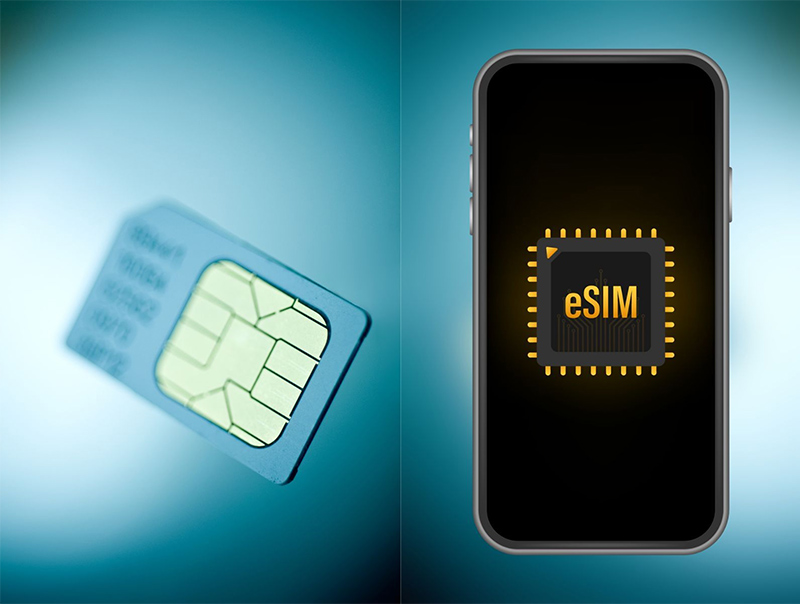
- For eSIM: your phone must support eSIM and be network-unlocked (SIM-free). Check by dialing *#06#; if it displays an EID number, the device has eSIM.
For plans with Japanese phone number calling functionality, identity verification procedures are stricter.
Cost
Checking and calculating your own data usage is completely free. The costs below are general reference prices for the budget SIM (MVNO) market in Japan, excluding tax and subject to change depending on promotional periods:
| Data/Month | Approximate Price Range | Price per GB |
|---|---|---|
| 20 GB | about 2,000–3,000 yen | about 100–150 yen |
| 50 GB | about 3,000–4,000 yen | about 60–80 yen |
| 100 GB | about 3,500–5,000 yen | about 35–50 yen |
| Large-capacity portable WiFi | about 3,500–5,000 yen | varies by plan |
Looking at the table above, you'll notice an important point: a 100GB plan is usually much cheaper per GB. If the difference between 50GB and 100GB is only a few hundred yen, choosing 100GB to avoid worrying about running out of data mid-month is usually more worth it.
Hidden costs to watch out for: fees for buying additional data when you run out (usually 300–500 yen/GB, very expensive), initial SIM issuance fees, early cancellation fees if the plan has a contract term. The 12-month prepaid plan usually has a cheaper average price but requires a one-time payment.
See HD TELECOM's exact plan pricing at the products page.
Duration and processing time
- Data cycle: most plans are calculated by calendar month (resetting on the 1st) or by activation date. You should ask clearly about the reset date to know when your data will refill.
- Leftover data: many budget plans don't allow rollover to the next month, so unused data is lost. This is why you shouldn't buy a plan that's too large for your needs.
- When data runs out: speed is usually reduced to 128 kbps–1 Mbps. At this level you can still message and use maps, but watching videos becomes very difficult.
- eSIM delivery time: usually within a few minutes to a few business hours after completing registration and payment.
- Physical SIM delivery time: usually 1–3 business days by mail, or immediately if you visit the store.
- Upgrading/downgrading plans: most carriers only apply changes starting from the next billing cycle, so if you want to switch, do it before the end of the month.
Where to do this
Calculating your data usage can be done at home by yourself, no need to go anywhere. If you need help choosing a plan:
- Do it yourself on your phone: the Settings section as guided in Step 1.
- Register online: choose a plan at the products page, receive your eSIM via email or SIM by mail.
- In person at the HD TELECOM store in Shin-Okubo, Tokyo: staff speak Vietnamese and can check your current data usage and advise on a suitable plan right on the spot.
- Online support: contact channels and payment instructions are available on the support page.
Common mistakes that waste your data unnecessarily
Many people think they "use very little but still run out of data." The culprits are usually on this list:
- Auto-play high-quality video: YouTube set to "Auto" will automatically jump to 1080p when signal is strong, using 4 times more data than 480p. Go into the app settings and select 480p quality for mobile data usage.
- Auto-play video on Facebook/Instagram: just scrolling through the newsfeed already loads dozens of videos. Turn off "Autoplay" in the app settings.
- Backing up photos to iCloud / Google Photos over 4G: taking photos during one outing can push several GB of photos and videos to the cloud. Set backup to only occur on WiFi.
- Auto app updates: this can consume 3–10 GB per month. Turn off "App updates over mobile data."
- Leaving hotspot on for a laptop and forgetting to turn it off: Windows/Mac laptops auto-update their operating system, and one update can be 5 GB.
- Watching HD movies on a small phone screen: on a 6-inch screen, 480p and 1080p don't look very different but data usage differs by 4–5 times.
- Not resetting statistics on iPhone then panicking when seeing a 300GB figure — that's a cumulative total over many months, not this month.
- Misunderstanding "unlimited": many plans advertise unlimited but have terms that throttle speed once a threshold is exceeded (e.g., 3 GB/day). Always read the speed-limiting conditions carefully.
- Choosing an oversized plan just to be safe: if you only use 30GB per month but buy a 100GB plan, you could waste over 10,000 yen a year. Measure first, then buy.
- Forgetting that video calling Vietnam over home WiFi doesn't use SIM data: many people mistakenly include this in their mobile data needs.
Frequently asked questions
How many hours of YouTube can 100GB cover?
About 330 hours at 360p, 160 hours at 480p, 83 hours at 720p, and only about 40 hours at 1080p. Video quality determines everything.
How much data does the average Vietnamese person in Japan use per month?
According to general statistics from Japan's Ministry of Internal Affairs and Communications, the average per mobile subscriber is about 20–25GB/month. Young people who watch lots of video and don't have home WiFi are usually at 50–100GB.
How much data does a Zalo video call to Vietnam use?
About 0.3–0.6GB per hour. Calling for 1 hour every day for a whole month only uses about 9–18GB. If it's just voice calling without camera, it's less than 1GB for the whole month.
Do I get charged extra when I run out of data?
Usually no extra charge, just reduced speed until the end of the cycle. You only pay if you actively purchase additional data top-ups. Confirm this term when registering.
Should I choose a data SIM, eSIM, or portable WiFi?
eSIM if your phone supports it and you want to receive it quickly without waiting for mail delivery. Physical SIM if your phone is older or doesn't support eSIM. Portable WiFi if you need to use it for multiple devices (laptop, tablet, or for a shared room) or need very large data capacity.
Can I downgrade from 100GB to 50GB partway through?
Most carriers allow plan changes but apply them starting from the next billing cycle, and some long-term prepaid plans have their own restrictions. You should ask clearly before registering for a long-term plan.
Is roaming from a Vietnamese SIM to Japan cheaper?
No. Roaming is only reasonable for a trip of a few days. If you're staying in Japan for a month or longer, a domestic Japanese SIM/eSIM is many times cheaper and has more stable signal.
References
- Japan's Ministry of Internal Affairs and Communications (総務省 MIC) — mobile data traffic statistics in Japan: soumu.go.jp
- YouTube Help Center — video quality settings and data consumption: support.google.com/youtube
- Netflix Help Center — data usage by streaming quality (Low / Medium / High): help.netflix.com
- Spotify Help Center — audio quality and bitrate: support.spotify.com
- Zoom Support Documentation — bandwidth requirements for video calls: support.zoom.com
- Apple Support — viewing and resetting mobile data statistics on iPhone: support.apple.com
The GB/hour figures in this article are estimates, which may vary depending on the device, signal quality, and app settings. Plan pricing is a market reference; please check the official price on the products page at the time of your registration.
Source verification date
The content and references in this article were last verified in June 2025. Pricing and plan conditions in Japan change fairly frequently, so you should cross-check with the latest information on the products page or ask staff directly before making a decision.
Need help choosing a plan?
If after calculating you're still undecided between 50GB and 100GB, just message HD TELECOM — we provide support in Vietnamese, help you check your actual data usage, and suggest a plan that fits your budget, without pressuring you to buy a larger plan.
- See Monthly Data SIM or Monthly eSIM plans, received the same day.
- Need it for multiple devices: check out Monthly Portable WiFi.
- Staying in Japan long-term and want to save money: see the 12-month prepaid plan.
- Questions about payment, bank transfers, activation: support page.
- Read more helpful guides on our blog.
Related products
Find your plan with HD TELECOM
SIM, eSIM and Pocket WiFi — genuine quality, clear pricing, 24/7 support.