

New iPhone 18 in Japan: What to Know About eSIM, Physical SIM, and 5G
September 10, 2026
New iPhone 18 in Japan: What to Know About eSIM, Physical SIM, and 5G
Quick Answer
Apple has announced the iPhone 18 Pro and iPhone 18 Pro Max, but the most important point for people buying the device in Japan is that these models use eSIM and do not support physical SIM cards. This means that if you buy the Japanese version of the iPhone 18 Pro/Pro Max, you cannot insert a plastic SIM card like you could with older phones. You need to use eSIM or check with your provider first to see whether your current plan supports eSIM.
In simple terms: if you currently use a physical SIM, check carefully before switching to iPhone 18. If you only need internet, eSIM data is the fastest and simplest option. If you need a Japanese phone number for SMS, banking, PayPay, LINE, housing contracts, or job applications, you need to choose a voice SIM that supports eSIM or confirm with your provider before buying the phone.
Who This Article Is For
This article is for Vietnamese and foreign residents in Japan, especially those considering buying an iPhone 18 or those who have just upgraded to the new device.
- You want to buy an iPhone 18 Pro or iPhone 18 Pro Max from Apple Store Japan.
- You are currently using a physical SIM and want to know whether it can be inserted into the new iPhone.
- You are using HD Telecom’s Data SIM or eSIM and want to move to a new phone.
- You need a Japanese 090/080/070 phone number for work, banking, PayPay, housing, or job applications.
- You have just arrived in Japan and are not sure whether to choose eSIM, data SIM, or voice SIM for a new iPhone.
Which iPhone 18 Models Have Been Announced?
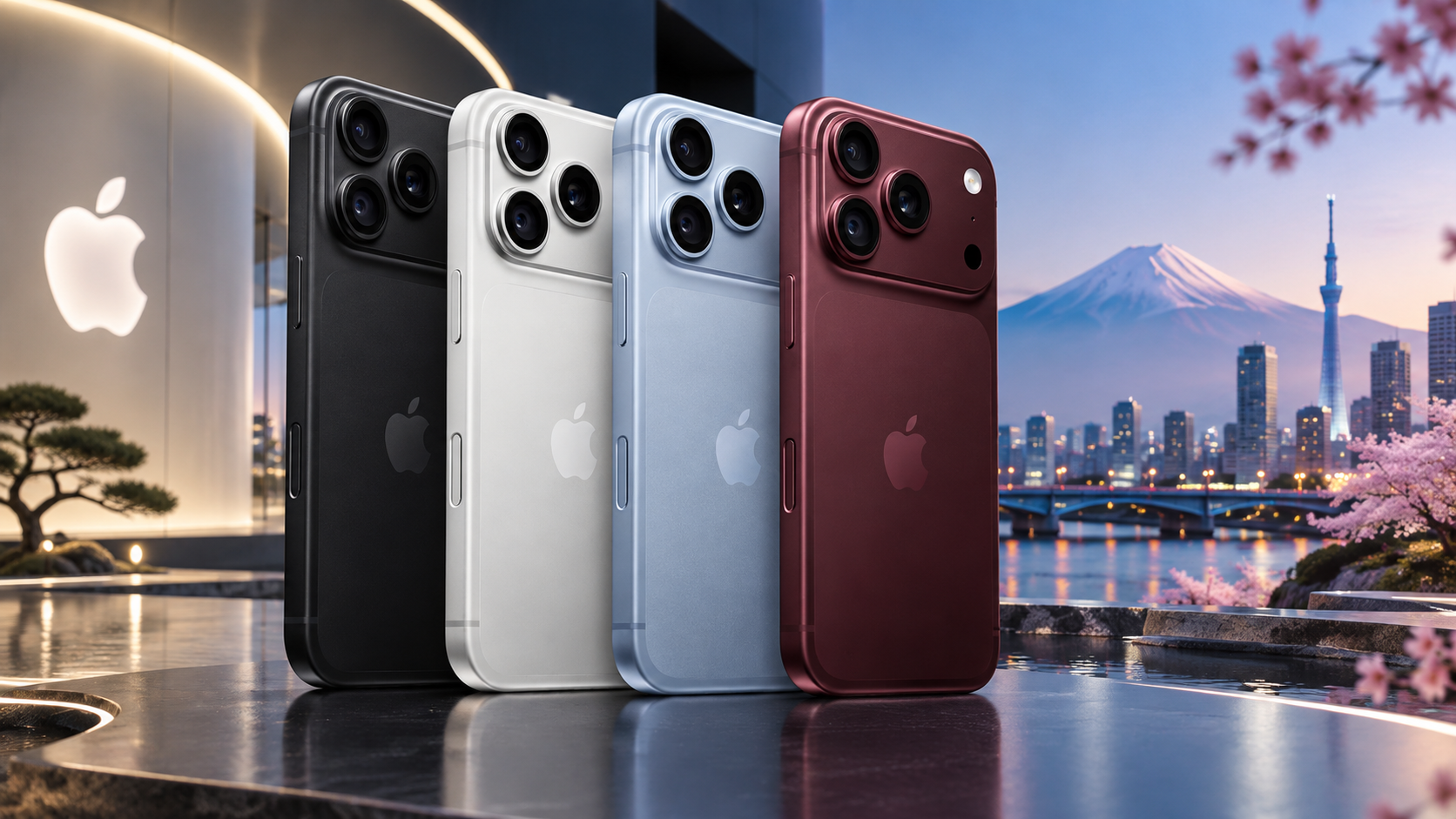
At the time of writing, Apple has announced the iPhone 18 Pro and iPhone 18 Pro Max. According to Apple’s announcement, these models feature the A20 Pro chip, a 48MP Fusion main camera with variable aperture, a smaller Dynamic Island, a new cooling system, and iOS 27 with Apple Intelligence/Siri AI. Apple also lists black, silver, glacier, and burgundy color options, with pre-orders starting on September 12 and sales beginning on September 18.
In this article, when we say “iPhone 18,” we mainly refer to the newly announced iPhone 18 Pro/Pro Max models. Before buying, always check the exact model name, whether it is the Japanese version, and which SIM types it supports.
The Most Important Point: Japanese iPhone 18 Models Do Not Use Physical SIM
For users in Japan, the most important change is not only the camera or performance, but the SIM. Apple Japan’s specifications state that iPhone 18 Pro and iPhone 18 Pro Max support dual eSIM, can use two active eSIMs, and can store eight or more eSIMs, but they are not compatible with physical SIM cards.
This directly affects people who are currently using a plastic SIM card. If your current plan only provides a physical SIM, you cannot simply remove the SIM from your old phone and insert it into a Japanese iPhone 18 Pro/Pro Max. You need to switch to eSIM or register for a new plan that supports eSIM.
What Is eSIM and Why Is It Important for iPhone 18?
eSIM is a digital SIM installed directly on your phone using a QR code, carrier app, or activation process supported by your provider. Since the Japanese iPhone 18 Pro is an eSIM-only model, it does not need and does not have a physical SIM tray.
For users, eSIM has three main advantages:
- You do not need to wait for a physical SIM card to be shipped.
- You can receive a QR code by email or support channel, then install it on your phone.
- You can more easily use multiple plans together, such as one voice eSIM and one data eSIM, if supported by the provider.
However, eSIM also requires care. When changing phones, deleting an eSIM, or resetting the device, you may need a new eSIM profile. Do not delete an eSIM from your phone without checking with your provider first.
What Should Physical SIM Users Do Before Buying iPhone 18?
Before buying the Japanese version of the iPhone 18 Pro/Pro Max, you should do the following four things:
- Check whether your current SIM is physical SIM or eSIM. If you have a plastic SIM card inside your phone, it is a physical SIM.
- Ask your provider whether you can switch to eSIM. Not every plan supports eSIM.
- Do not cancel your old SIM before the new eSIM works. Make sure the new phone has internet before stopping your old plan.
- Check whether you need a Japanese phone number. If you need bank SMS, PayPay, LINE, housing contracts, or job applications, a data-only SIM may not be enough.
Can iPhone 18 Use HD Telecom’s Data SIM?
This depends on which type of plan you choose. If it is a physical Data SIM, the Japanese iPhone 18 Pro/Pro Max cannot use it because the phone does not support physical SIM cards. If it is eSIM Data, you may be able to use it by installing the eSIM with a QR code or activation instructions provided by HD Telecom.
Therefore, if you buy an iPhone 18 in Japan and only need internet, the recommended options are:
- Monthly eSIM: suitable if you need internet quickly and do not want to wait for shipping.
- High-data eSIM: suitable if you watch videos, use maps, and make video calls often.
- Pocket WiFi: suitable if you use multiple devices or travel with family.
If you accidentally bought a physical SIM, contact HD Telecom early so we can check whether you can switch to a suitable eSIM plan.
Does iPhone 18 Need a Voice SIM?
If you live in Japan long-term, the answer is usually yes. eSIM data gives you internet access, but it does not fully replace a Japanese phone number. You still need a 090/080/070 number in many situations:
- Opening a Japanese bank account.
- Registering for PayPay, Rakuten Pay, Mercari, or services that require SMS verification.
- Applying for part-time or full-time jobs.
- Signing a housing contract and setting up electricity, gas, and water.
- Receiving calls from school, company, hospital, ward office, city office, or delivery companies.
The key point is this: if you buy the Japanese iPhone 18 Pro/Pro Max, ask in advance whether the voice SIM supports eSIM. If the voice plan only provides a physical SIM, it cannot be used directly on the Japanese iPhone 18.
Is iPhone 18 Better for 5G?
According to Apple’s specifications, iPhone 18 Pro and iPhone 18 Pro Max support 5G, Gigabit LTE, Wi-Fi 7, Bluetooth 6, Apple N1 wireless chip, and Apple C2 cellular modem. These are important upgrades for people who often use mobile data, hotspot, or online work on their phone.
However, real-world speed does not depend only on the iPhone. It also depends on:
- Signal strength in your area.
- Your carrier and mobile plan.
- Time of day, since evening hours are often more congested.
- Whether you are outdoors, inside a concrete building, underground, or on a train.
- Whether your plan has speed limits after you exceed the data allowance.
In other words, iPhone 18 has strong hardware, but you still need to choose a mobile plan that matches your actual usage.
Which Plan Should You Choose for iPhone 18?
1. You just arrived in Japan and need internet immediately
Choose eSIM data. You do not need to wait for a physical SIM card by post. You only need to receive a QR code or activation information and install it on your phone. This is suitable for people arriving at the airport, staying in a hotel, living in a dormitory, or not yet having a fixed address.
2. You live in Japan long-term and need official procedures
Prepare a voice SIM with a Japanese phone number. A Japanese phone number is important for banking, jobs, housing, PayPay registration, SMS verification, and official procedures. For the Japanese iPhone 18, check whether that voice plan can be issued as eSIM.
3. You use a lot of data, watch videos, and make video calls every day
Choose a high-data eSIM or data SIM plan. If you use only one iPhone, eSIM data is the cleanest option. If you also use a laptop, iPad, or share internet with family, consider Pocket WiFi.
4. You travel with family or use multiple devices
Consider Pocket WiFi. iPhone 18 eSIM is convenient for personal use, but if the whole family needs internet, one shared WiFi device may be more economical.
How to Switch to iPhone 18 Without Losing Internet
When changing to a new iPhone, follow this safer order:
- Keep your old phone and old SIM/eSIM active.
- Buy the iPhone 18 and connect the new phone to Wi-Fi.
- Contact your provider to switch from physical SIM to eSIM if needed.
- Install the eSIM on iPhone 18 using the provided QR code or instructions.
- Turn off Wi-Fi and open a website to test 4G/5G.
- If it is a voice SIM, test calls and SMS as well.
- Only delete the eSIM on the old phone or stop the old plan after the new phone works properly.
Apple also states that some carriers may support eSIM Carrier Activation or eSIM Quick Transfer. Whether you can use these features depends on your carrier and specific plan.
Common Mistakes When Switching to iPhone 18
1. Buying the phone first and then realizing it has no SIM tray
This is the most common mistake. Japanese iPhone 18 Pro/Pro Max models are eSIM-only, so if you currently use a physical SIM, confirm your eSIM option before buying the phone.
2. Thinking eSIM data can receive bank SMS
This is incorrect. eSIM data is for internet only. If you need SMS verification, you need a voice SIM or a plan with a Japanese phone number.
3. Deleting the old eSIM too early
Do not delete your old eSIM before the new eSIM is working. Some eSIM QR codes cannot be reused after deletion and require a new profile to be issued.
4. Having no Wi-Fi during eSIM setup
You need an internet connection at the beginning to install eSIM. Prepare Wi-Fi at home, hotel, airport, office, or use hotspot from another device.
5. Choosing a data plan that is too small
A new iPhone often makes people take more photos, record more videos, upload to cloud, watch videos, and use AI apps more often. If you use a lot of data, choose a higher data plan from the start to avoid speed limits in the middle of the month.
Frequently Asked Questions
Can the Japanese iPhone 18 Pro use a physical SIM?
No. According to Apple Japan’s specifications, iPhone 18 Pro and iPhone 18 Pro Max do not support physical SIM cards and support eSIM only.
Can iPhone 18 use HD Telecom’s eSIM?
If the plan you register for is eSIM data and HD Telecom provides a compatible QR code or activation instructions, you may be able to use it. Before registering, send your device model so it can be checked.
I am currently using a physical SIM. What should I do if I switch to iPhone 18?
Ask your current provider whether you can switch from physical SIM to eSIM. Do not wait until after buying the phone, because you may temporarily lose internet access.
Can iPhone 18 use a voice SIM?
It can if that voice plan supports eSIM. If the provider only issues physical SIM cards, the Japanese iPhone 18 Pro/Pro Max cannot use it directly.
Is iPhone 18 suitable for newcomers to Japan?
Yes, if you understand eSIM. Newcomers should prepare at least one immediate internet option, such as eSIM data, and then register for a voice SIM if they need a Japanese phone number for banking, work, and official procedures.
Should I buy iPhone 18 in Japan or another country?
If you buy it in Japan, you need to accept that the model is eSIM-only. Models in other markets may have different SIM configurations, but before buying from another country, check frequency bands, warranty, SIM lock, and compatibility in Japan.
Conclusion
iPhone 18 Pro and iPhone 18 Pro Max are new models with stronger camera, performance, battery, and connectivity, but for users in Japan, the most important point is eSIM. Japanese models do not use physical SIM cards, so check your mobile plan before buying, especially if you are currently using a plastic SIM card.
If you only need internet, eSIM data is fast and simple. If you live in Japan long-term and need SMS, phone calls, banking, PayPay, housing contracts, or job applications, prepare a voice SIM with a Japanese phone number and confirm that it supports eSIM.
Just bought an iPhone 18 or planning to buy one? Contact HD Telecom before registering for a SIM so we can check your device, data needs, and suitable eSIM options. Asking first can help you avoid buying a physical SIM that cannot be used on your new phone.
References
- Apple Newsroom: iPhone 18 Pro and iPhone 18 Pro Max announcement.
- Apple Japan: iPhone 18 Pro/Pro Max specifications and SIM/eSIM information.
- Apple: 5G, LTE, Wi-Fi 7, and modem specifications.
- Apple Japan: eSIM activation information for iPhone 18 Pro.
Source Check Date
This content was reviewed on September 10, 2026. Pricing, release dates, SIM/eSIM specifications, and eSIM support may vary by market, carrier, and time. Before buying a device or registering for a plan, check again with Apple, your carrier, or HD Telecom.
HD TELECOM
Find your plan with HD TELECOM
SIM, eSIM and Pocket WiFi — genuine quality, clear pricing, 24/7 support.